Work Order Template: Free Download & Best Practices
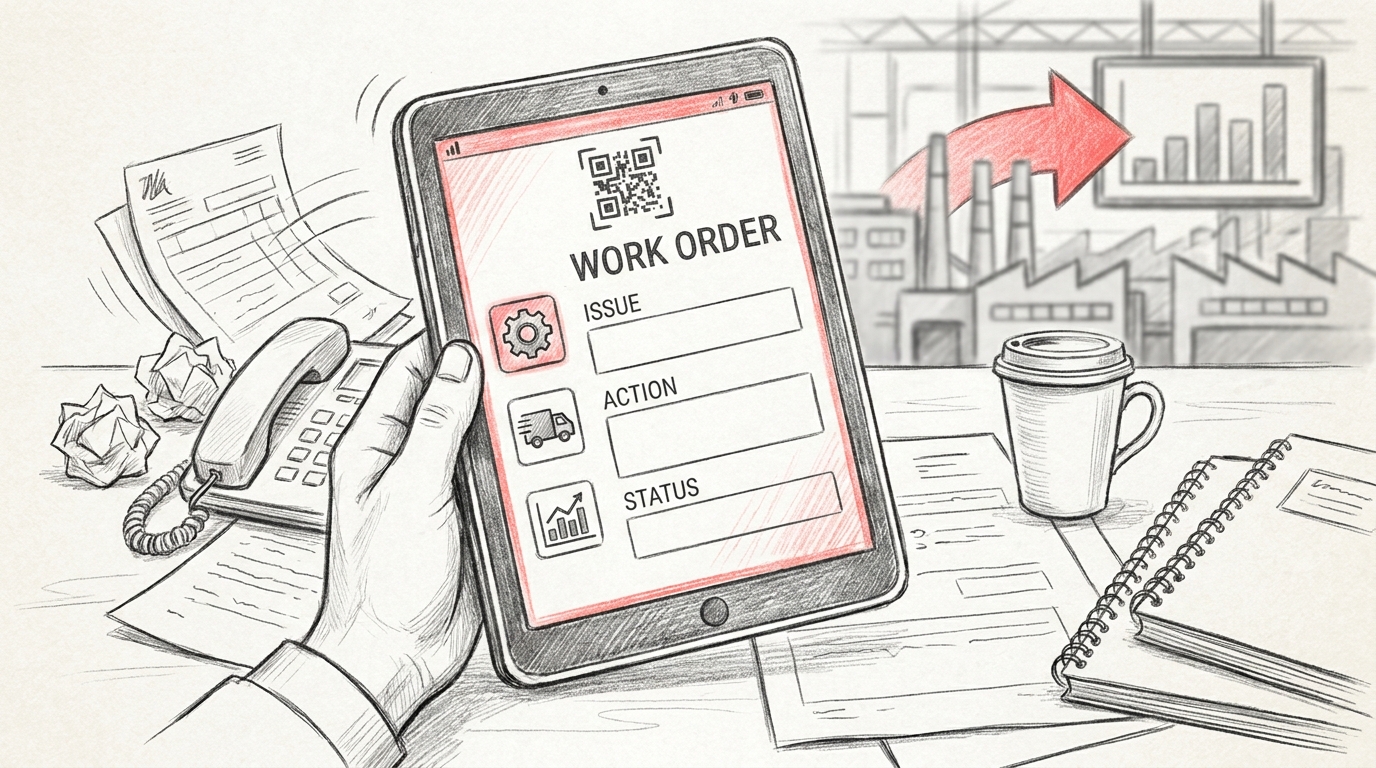
TL;DR: A work order template is a standardized document that outlines tasks, resources, timelines, and instructions for maintenance or service work. It ensures consistent communication between teams, tracks job progress, and maintains records. Modern digital platforms replace manual templates with real-time tracking, automated workflows, and integrated dashboards for better operational efficiency and accountability.
Frequently Asked Questions

What is a work order template?
A work order template is a standardized document that outlines the details of maintenance tasks, repairs, or service requests. It typically includes fields for work description, priority level, assigned personnel, completion dates, and required resources. Templates ensure consistency in tracking work activities and help organizations maintain proper documentation for quality management systems and compliance requirements.
What are the key components of an effective work order template?
An effective work order template includes: work order number, date created, priority level, detailed task description, assigned technician or team, estimated completion time, required materials and tools, safety requirements, labor hours, approval signatures, and completion status. Modern templates also integrate with QMS quality management systems and include fields for tracking key performance indicators (KPIs) to measure efficiency and response times.
How does a work order template improve quality management systems?
Work order templates enhance QMS quality management systems by standardizing processes, ensuring traceability, and enabling data collection for continuous improvement. They document corrective actions, track incident management, facilitate supplier claims, and provide audit trails. When integrated with real-time platforms, templates replace manual spreadsheets and enable dashboard reporting of KPIs across multiple facilities for better quality control.
What is the difference between a work order template and a purchase order template?
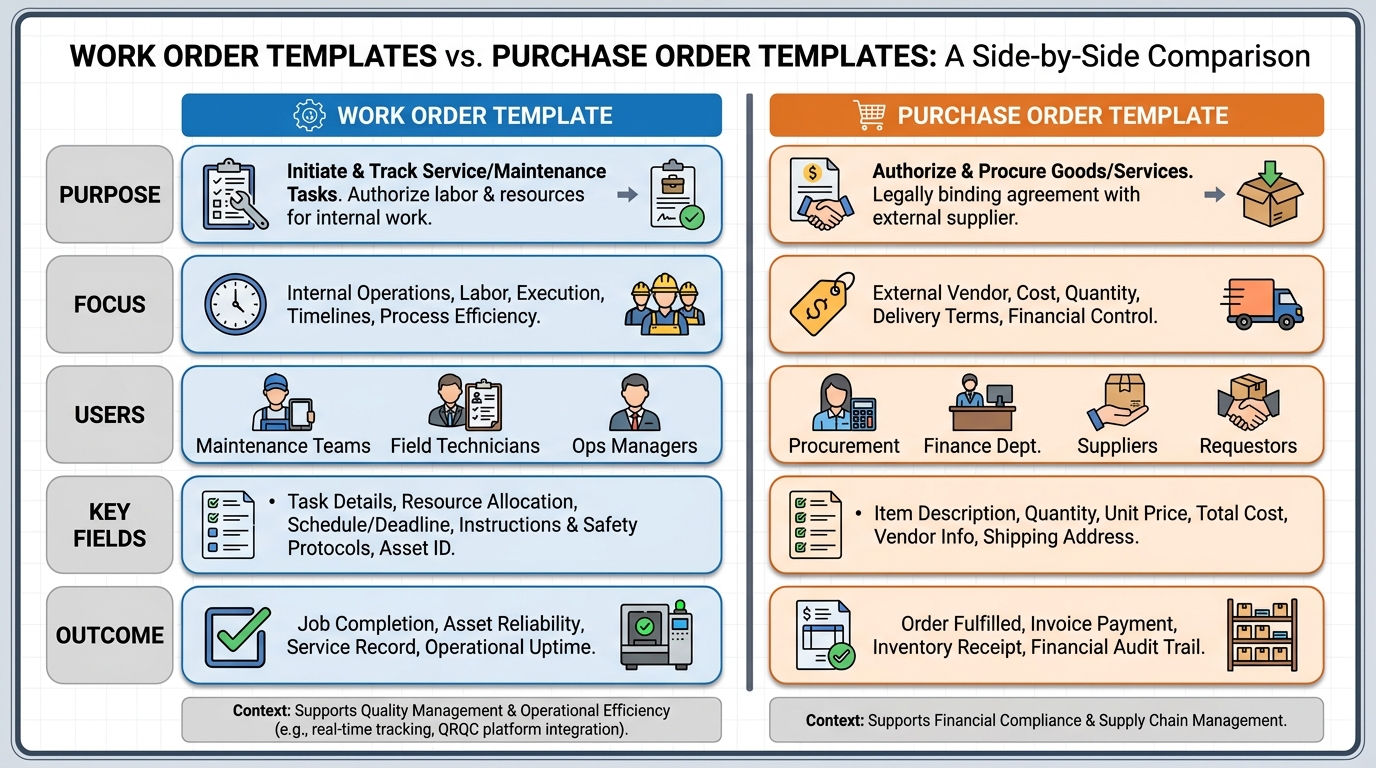
A work order template documents internal tasks, maintenance, or service requests performed by employees or contractors, focusing on labor and execution. A purchase order template is a commercial document used to buy goods or services from external suppliers, detailing items, quantities, prices, and payment terms. Work orders track operational activities while purchase orders manage procurement transactions.
How can work order templates support lean and Six Sigma initiatives?
Work order templates support lean and Six Sigma by standardizing processes, eliminating waste, and capturing data for statistical analysis. They enable measurement of cycle times, identify bottlenecks, track defects, and document root cause analysis. Templates facilitate continuous improvement by providing consistent data collection that helps calculate process capability, reduce variation, and optimize resource allocation across production environments.
What are key performance indicators (KPIs) for work order management?
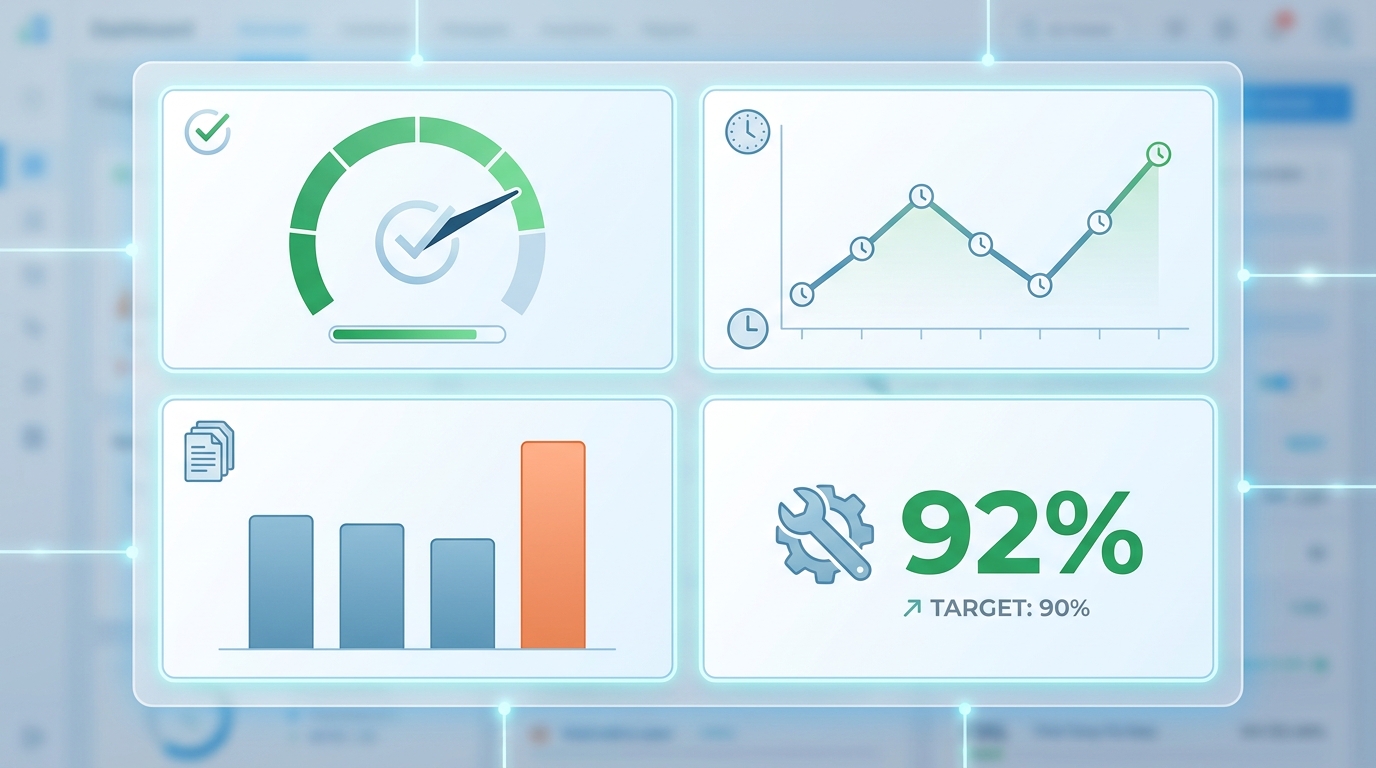
Key performance indicators for work order management include: work order completion rate, mean time to repair (MTTR), planned versus emergency work ratio, schedule compliance percentage, backlog size, first-time fix rate, labor utilization, and average response time. These KPIs help organizations measure maintenance effectiveness, identify improvement opportunities, and optimize resource allocation within integrated program management frameworks.
Can work order templates be integrated with real-time incident management platforms?
Yes, modern work order templates integrate seamlessly with real-time incident management platforms, replacing traditional spreadsheets and communication tools like WhatsApp. These platforms enable instant work order creation, automated notifications, mobile access, real-time status updates, and centralized KPI dashboards. Integration supports QRQC (Quick Response Quality Control) methodologies, supplier claims tracking, and corrective action management across multiple plant locations.
How do digital work order templates differ from printable templates?
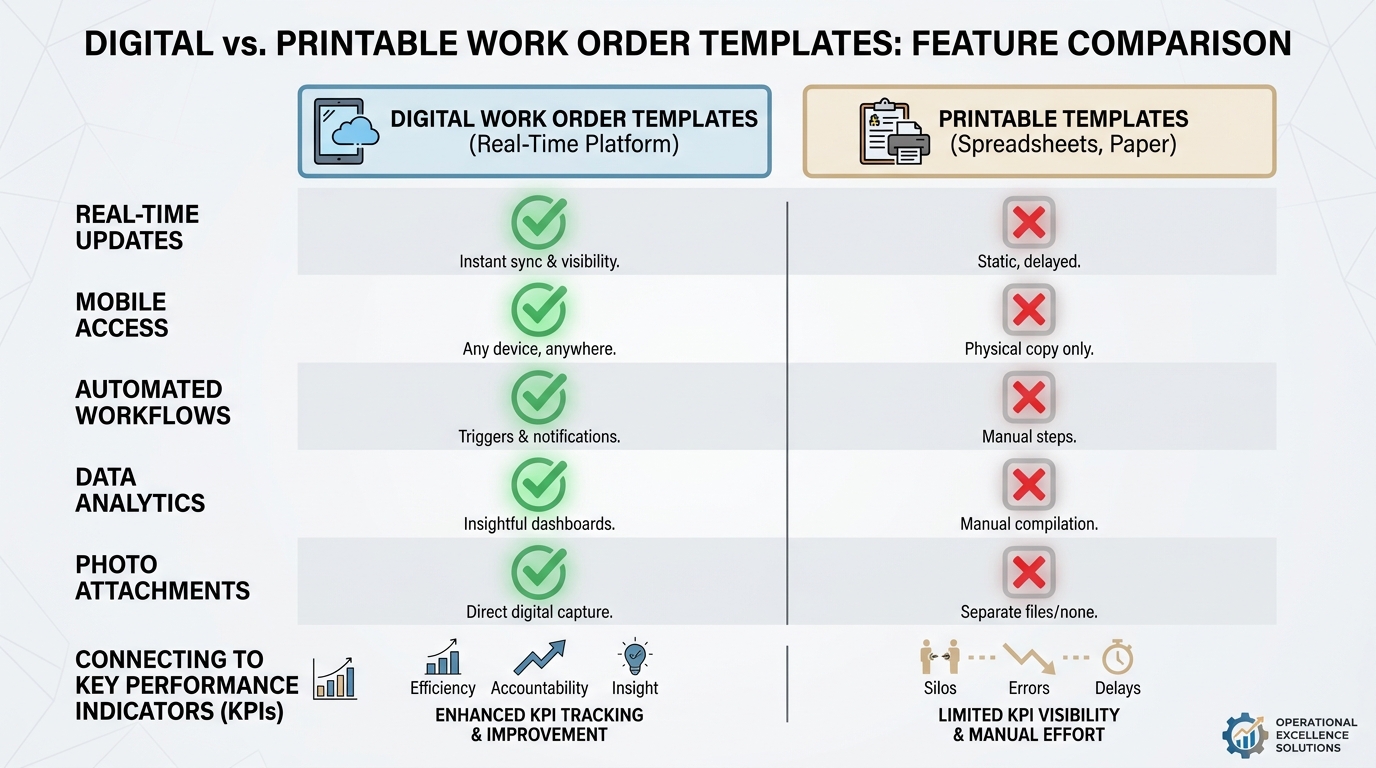
Digital work order templates offer real-time updates, automated workflows, mobile accessibility, and instant data analytics, unlike printable templates such as bubble letter templates or pumpkin carving templates. Digital versions eliminate manual data entry, enable photo attachments, provide automated reminders, and integrate with QMS systems for comprehensive reporting. They support collaborative work environments and provide immediate visibility across teams and locations.
Understanding Work Order Templates and Their Role in Modern Quality Management
A work order template is a standardized document that streamlines maintenance, repair, and operational tasks across manufacturing facilities. For quality managers overseeing multi-plant operations, implementing consistent work order templates is essential for maintaining operational excellence and tracking quality-related tasks systematically. These templates serve as the foundation for documenting corrective actions, preventive maintenance, and quality control activities that directly impact your QMS quality management system.
Work order templates eliminate confusion by providing a clear structure for task assignment, execution, and completion verification. They function similarly to how a purchase order template in word standardizes procurement processes or how a canva invoice template ensures billing consistency. When integrated with digital platforms, work order templates become powerful tools for real-time tracking and accountability across your entire operation.
Modern manufacturing environments require more than static documents. Quality managers need dynamic systems that transform traditional work orders into actionable intelligence, connecting incident management with corrective actions and supplier quality issues seamlessly.
Essential Components of an Effective Work Order Template
Creating a comprehensive work order template requires understanding the critical elements that drive accountability and traceability. Just as a cover note template must contain specific information to be effective, your work order template should include standardized fields that capture all necessary data.
Core Information Fields
Every work order template should contain these fundamental components:
- Unique Work Order Number: Sequential identification for tracking and reference purposes
- Priority Level: Classification system (Critical, High, Medium, Low) for resource allocation
- Asset/Equipment Details: Specific identification of machinery, production line, or facility component
- Issue Description: Clear explanation of the problem, defect, or maintenance requirement
- Assigned Personnel: Responsible technician, team, or contractor with contact information
- Target Completion Date: Timeline expectations aligned with production schedules
- Safety Requirements: Lockout/tagout procedures, PPE requirements, and hazard warnings
- Parts and Materials: Required components, quantities, and inventory codes
- Labor Hours: Estimated and actual time tracking for cost analysis
- Completion Verification: Sign-off fields for quality assurance and management approval
Quality-Specific Elements for Manufacturing Operations
For operations directors managing incident response and corrective actions, your work order template should integrate quality management elements that connect to your broader QMS quality management system. These additional fields transform basic work orders into quality documentation:
| Quality Element | Purpose | Integration Point |
|---|---|---|
| Root Cause Analysis Section | Document investigation findings | Links to corrective action tracking |
| Non-Conformance Reference | Connect to quality incidents | Supplier claims and internal audits |
| KPI Impact Assessment | Track effects on quality metrics | Dashboard reporting and trend analysis |
| Preventive Action Plan | Document future prevention measures | Continuous improvement initiatives |
| Supplier Involvement | Track third-party responsibilities | Supplier quality management |
Connecting Work Orders to Key Performance Indicators (KPIs)
Understanding what are key performance indicators kpis in the context of work order management is crucial for manufacturing quality managers. KPIs transform raw work order data into actionable insights that drive operational improvements and demonstrate the effectiveness of your quality management system.
Critical Work Order KPIs for Quality Management
Supply chain professionals handling supplier quality issues should track these essential metrics derived from work order data:
- Mean Time to Repair (MTTR): Average duration from work order creation to completion, indicating responsiveness
- First-Time Fix Rate: Percentage of issues resolved without repeat work orders, measuring effectiveness
- Work Order Backlog: Number of pending orders by priority level, revealing resource constraints
- Planned vs. Reactive Maintenance Ratio: Balance between preventive and emergency work orders
- Equipment Downtime: Production time lost due to maintenance and quality issues
- Cost per Work Order: Labor and materials expenses tracked against budget allocations
- Compliance Rate: Percentage of work orders completed within required timeframes
These metrics function similarly to how organizations track performance across different areas—from measuring efficiency with a to do list template for task completion rates to monitoring project success in integrated program management frameworks. The key is establishing baseline measurements and continuously monitoring trends.
Integrating Lean and Six Sigma Methodologies
Plant managers tracking quality KPIs across facilities can leverage lean and six sigma principles to optimize work order processes. These methodologies provide structured approaches to reducing waste and variation in maintenance and quality operations.
Lean principles applied to work orders focus on eliminating non-value-added activities. This means streamlining approval processes, reducing wait times between task assignment and execution, and minimizing redundant documentation. Six Sigma techniques help identify and eliminate root causes of recurring work orders, reducing variation in equipment performance and quality outcomes.
| Methodology | Application to Work Orders | Expected Outcome |
|---|---|---|
| 5S Organization | Standardize work order creation and storage | Faster retrieval and reduced errors |
| Value Stream Mapping | Analyze work order workflow from creation to closure | Identify bottlenecks and delays |
| DMAIC Process | Define, Measure, Analyze, Improve, Control work order processes | Continuous reduction in MTTR and costs |
| Kaizen Events | Rapid improvement workshops focused on work order efficiency | Quick wins in process optimization |
Digital Transformation: Moving Beyond Spreadsheets and WhatsApp
Many manufacturing operations still rely on spreadsheets, email chains, and WhatsApp groups to manage work orders and quality incidents. This fragmented approach creates significant risks for operations directors managing multi-site facilities. Information gets lost, accountability becomes unclear, and tracking corrective actions across plants becomes nearly impossible.
The Limitations of Traditional Work Order Management
Using static templates—whether it's a basic work order template, bubble letter template printable for visual communication, or even pumpkin carving templates print for seasonal safety campaigns—in disconnected systems creates several critical problems:
- No Real-Time Visibility: Managers cannot see current status across facilities without manual compilation
- Delayed Response Times: Communication gaps between shifts and locations slow incident resolution
- Incomplete Documentation: Critical details get lost in message threads and email attachments
- Difficult Trend Analysis: Extracting patterns from scattered spreadsheets requires extensive manual effort
- Compliance Risks: Audit trails are fragmented and difficult to reconstruct
- Limited Accountability: Task ownership becomes unclear when multiple people handle different aspects
Real-Time QRQC Platforms as the Solution
Modern quality management requires integrated platforms that transform work order templates from static documents into dynamic management tools. A comprehensive QRQC — Industrial Quality Control Software platform addresses these challenges by centralizing incident management, supplier claims, corrective actions, and KPI dashboards across every plant.
Digital platforms eliminate the disconnection between work order execution and quality management. When a technician completes a work order on the production floor, that information immediately updates dashboards, triggers follow-up actions, and feeds into your quality metrics—no manual data entry required.
This integration mirrors how modern businesses have moved from manual invoicing to using standardized canva invoice template systems or from paper purchase orders to digital purchase order template in word formats—but with far greater impact on operational efficiency and quality outcomes.
Implementing Work Order Templates Across Multi-Plant Operations
For manufacturing quality managers overseeing multi-plant operations, standardizing work order templates across facilities presents unique challenges. Each plant may have different equipment, processes, and historical practices, yet consistency is essential for meaningful performance comparison and corporate-level reporting.
Standardization Strategy for Multiple Facilities
Successful implementation requires a phased approach that respects local needs while establishing corporate standards:
- Assessment Phase: Document current work order processes at each facility, identifying common elements and unique requirements
- Core Template Development: Create a master work order template with mandatory fields that apply across all locations
- Customization Framework: Define allowable plant-specific fields and modifications within governance guidelines
- Pilot Testing: Implement the standardized template at one or two representative facilities first
- Training and Change Management: Develop comprehensive training programs addressing both template usage and cultural adoption
- Phased Rollout: Deploy across remaining facilities in waves, incorporating lessons learned from pilots
- Continuous Improvement: Establish regular review cycles to refine templates based on user feedback and business needs
Integration with Supplier Quality Management
Supply chain professionals handling supplier quality issues need work order templates that seamlessly connect internal maintenance activities with external supplier responsibilities. When a quality incident involves supplier-provided components or materials, your work order system should automatically link to supplier claim processes.
| Supplier Quality Scenario | Work Order Integration | Tracking Requirement |
|---|---|---|
| Defective raw material detected | Work order documents quarantine and inspection | Link to supplier claim and corrective action request |
| Equipment failure due to faulty part | Work order captures failure details and replacement | Track warranty claim and supplier performance impact |
| Non-conforming finished goods | Work order documents rework or scrap decision | Connect to supplier root cause investigation |
| Preventive maintenance reveals supplier issue | Work order identifies pattern before failure occurs | Trigger proactive supplier discussion |
Best Practices for Work Order Template Design and Usage
Creating effective work order templates requires balancing comprehensiveness with usability. Templates that are too complex discourage consistent usage, while overly simplified templates fail to capture critical information. Plant managers tracking quality KPIs across facilities should consider these proven best practices.
Design Principles for Maximum Adoption
- Mobile-First Approach: Design templates for easy completion on tablets and smartphones at the point of work
- Conditional Logic: Show only relevant fields based on work order type, reducing clutter and confusion
- Pre-Populated Data: Auto-fill known information like equipment specifications and maintenance history
- Visual Clarity: Use clear section headers, logical grouping, and adequate white space
- Dropdown Menus: Provide standardized options for common fields to ensure data consistency
- Photo Integration: Enable easy attachment of before/after images and documentation
- Offline Capability: Allow work order completion even when network connectivity is limited
Governance and Quality Control
Maintaining template integrity across your organization requires clear governance similar to managing any aspect of your QMS quality management system. Establish these control mechanisms:
- Version Control: Track template revisions with clear change logs and approval processes
- Access Permissions: Define who can create, modify, approve, and close work orders at each level
- Mandatory Field Enforcement: Prevent work order closure until all critical information is captured
- Quality Gates: Require supervisor approval before high-priority work orders can be marked complete
- Audit Trail Preservation: Maintain complete history of all work order modifications and status changes
Measuring Success: Analytics and Continuous Improvement
The true value of standardized work order templates emerges when you analyze the data they generate. Understanding what are key performance indicators kpis is only the first step—you must actively use this information to drive continuous improvement initiatives aligned with lean and six sigma methodologies.
Advanced Analytics for Work Order Data
Operations directors managing incident response and corrective actions can extract powerful insights from aggregated work order data:
- Failure Pattern Recognition: Identify equipment or processes with recurring issues requiring preventive redesign
- Resource Optimization: Analyze labor utilization patterns to improve staffing and scheduling
- Cost Trend Analysis: Track maintenance and quality-related expenses by facility, equipment type, or time period
- Supplier Performance Correlation: Connect supplier quality issues to downstream work order frequency and costs
- Seasonal Variations: Identify time-based patterns that enable proactive resource planning
- Cross-Plant Benchmarking: Compare performance metrics across facilities to identify best practices
Creating a Culture of Continuous Improvement
Work order templates should support, not hinder, your continuous improvement culture. When integrated into daily operations effectively, they become tools for empowerment rather than bureaucratic burdens. This cultural transformation parallels successful implementation of integrated program management approaches where documentation supports rather than impedes progress.
Encourage frontline workers to suggest template improvements based on their daily experiences. Schedule regular review sessions where maintenance teams, quality managers, and operations leadership discuss work order trends and identify improvement opportunities. Celebrate successes when work order data reveals problems before they cause major incidents or quality escapes.
Future-Proofing Your Work Order Management System
As manufacturing technology evolves, your work order template system must adapt to new requirements and capabilities. Forward-thinking quality managers are already preparing their systems for emerging technologies and methodologies.
Emerging Technologies Impacting Work Orders
Consider how these technological advances will influence your work order management approach:
| Technology | Impact on Work Orders | Implementation Consideration |
|---|---|---|
| IoT Sensors | Automatic work order generation based on equipment conditions | Define thresholds and escalation rules |
| Predictive Analytics | Shift from reactive to predictive maintenance work orders | Integrate machine learning models with work order systems |
| Augmented Reality | Visual work instructions overlaid on equipment during repairs | Link AR content to specific work order types |
| Voice Recognition | Hands-free work order updates from the production floor | Ensure accuracy and security of voice-captured data |
| Blockchain | Immutable audit trails for critical quality work orders | Evaluate cost-benefit for regulatory compliance scenarios |
These technologies don't replace the fundamental need for standardized work order templates—they enhance their capabilities and extend their value across your operations.
Take Control of Your Quality Operations Today
Implementing effective work order templates is just the beginning of transforming your quality management operations. Manufacturing quality managers overseeing multi-plant operations need integrated solutions that connect incident management, supplier claims, corrective actions, and KPI dashboards in real-time across every facility.
Moving beyond spreadsheets and WhatsApp to a comprehensive digital platform eliminates communication gaps, ensures accountability, and provides the visibility required for proactive quality management. When your work orders seamlessly integrate with your broader QMS quality management system, you gain the control and insight necessary to drive continuous improvement and maintain competitive advantage.
The transition from fragmented, paper-based processes to integrated digital work order management delivers measurable results: reduced downtime, lower maintenance costs, improved first-time fix rates, and enhanced compliance with quality standards. Supply chain professionals handling supplier quality issues gain unprecedented visibility into how external factors impact internal operations, enabling more effective supplier management and relationship development.
Ready to transform your quality control operations with real-time incident management and integrated work order tracking? Visit our website to discover how QRQC's industrial quality control software can replace your disconnected systems with a unified platform designed specifically for manufacturing excellence. Learn more about our comprehensive approach on our About QRQC page, or explore additional insights on our Blog.
Don't let outdated work order management hold back your quality initiatives. The tools and templates you implement today determine your operational excellence tomorrow. Start building a foundation for sustainable quality improvement with standardized, integrated work order management that connects every aspect of your quality operations across all facilities.
Article created using IntentRank