C4 Window Envelope Template Guide: Free Sizes & Placement
TL;DR: A C4 window envelope template is a printable guide showing the exact placement of the transparent window panel on a C4-sized envelope (229 x 324 mm). This template helps position recipient addresses correctly so they appear through the window, ensuring proper mail delivery without manual addressing of envelopes.
Frequently Asked Questions

What is a C4 window envelope template?
A C4 window envelope template is a digital or printable guide for creating envelopes measuring 229mm x 324mm (9 x 12.75 inches) with a transparent window panel. The template includes precise positioning marks for the window placement, ensuring recipient addresses printed on documents inside align perfectly with the window opening for professional mailing purposes.
How do I create a C4 window envelope template in Word?
To create a C4 window envelope template in Word, set page size to 229mm x 324mm, insert a text box or rectangle shape where the window should appear (typically 45mm x 90mm, positioned 20mm from left and 40mm from top), format it with no fill and dotted borders, then add fold lines and margin guides using shapes or borders.
What are the standard dimensions for a C4 envelope window?
The standard C4 envelope window typically measures 45mm x 90mm (1.77 x 3.54 inches) and is positioned approximately 20mm from the left edge and 40mm from the top edge. These dimensions ensure compatibility with most business documents, letterheads, and address formats while maintaining professional appearance and postal service requirements.
Why use a C4 window envelope template for business correspondence?
C4 window envelope templates ensure professional presentation, eliminate manual address writing, reduce errors, and save time in high-volume mailing operations. They're ideal for sending A4 documents unfolded, maintaining document quality, and streamlining correspondence workflows. Templates guarantee consistent window placement, ensuring addresses always appear correctly for automated postal processing.
Can I use a C4 window envelope template with a cover note template?
Yes, C4 window envelope templates work perfectly with cover note templates. Simply position the recipient's address on your cover note template to align with the envelope window specifications (typically in the upper left area). This integration ensures the address shows through the window correctly, creating a professional mailing package for business correspondence.
What software can I use to design a C4 window envelope template?
You can design C4 window envelope templates using Microsoft Word, Canva, Adobe InDesign, Google Docs, or specialized envelope design software. Word and Canva offer user-friendly interfaces with customizable dimensions, while InDesign provides professional-grade precision. Many platforms offer downloadable templates that you can customize with your branding and specific window positioning requirements.
How does a C4 window envelope template improve document management workflows?
C4 window envelope templates streamline document management by standardizing address positioning across all correspondence, reducing manual handling, and minimizing errors. When integrated with quality management systems or document templates, they enable automated printing processes, improve tracking capabilities, and ensure consistent professional presentation while supporting efficient mail preparation and dispatch operations.
What is the difference between C4, C5, and DL window envelope templates?
C4 envelopes (229x324mm) fit A4 documents unfolded, C5 envelopes (162x229mm) accommodate A4 sheets folded once, and DL envelopes (110x220mm) hold A4 pages folded twice. Window placement varies proportionally with each size. C4 templates are ideal for sending full-size reports, certificates, or documents requiring flat mailing without creasing.
Understanding C4 Window Envelope Templates: A Comprehensive Guide

In today's fast-paced business environment, the c4 window envelope template remains an essential tool for professional correspondence and document mailing. Whether you're sending invoices, purchase orders, or official documents, understanding how to properly format and utilize c4 window envelope templates can significantly improve your organization's efficiency and professional image.
C4 envelopes measure 229 x 324 mm (9 x 12.75 inches), making them ideal for sending A4-sized documents without folding. The window feature allows the recipient's address to show through, eliminating the need for separate address labels and reducing the risk of mismatched envelopes and documents.
This comprehensive guide will explore everything you need to know about c4 window envelope templates, from design specifications to practical applications in quality management systems and operational workflows.
What Is a C4 Window Envelope Template?

A c4 window envelope template is a pre-designed layout that helps you position addresses and content correctly on documents intended for mailing in C4 windowed envelopes. The template ensures that when your document is inserted into the envelope, the recipient's address appears perfectly centered in the window.
The standard window dimensions for C4 envelopes typically measure 45 x 90 mm, positioned approximately 20 mm from the left edge and 45 mm from the top edge of the envelope. However, these measurements can vary slightly depending on the envelope manufacturer.
Key Components of a C4 Window Envelope Template
- Address Window Zone: The designated area where recipient information must appear
- Sender Information Area: Space for return address and company branding
- Document Content Area: The main body of your document
- Margin Guidelines: Visual guides ensuring proper positioning
- Fold Marks: Indicators showing where to fold for proper insertion
Creating Your C4 Window Envelope Template
Designing an effective c4 window envelope template requires attention to detail and understanding of postal requirements. Similar to how you might approach a canva invoice template or purchase order template in word, the process involves setting up proper margins, positioning elements correctly, and ensuring consistency across all documents.
Step-by-Step Template Creation Process
- Set Document Dimensions: Configure your document to A4 size (210 x 297 mm)
- Define Window Position: Mark the window area 20 mm from left, 45 mm from top
- Create Address Block: Position recipient address within the window zone
- Add Company Branding: Include logo and sender details in the header
- Establish Margins: Set minimum 15 mm margins on all sides
- Insert Fold Markers: Add subtle guides at 99 mm and 198 mm from top
- Test Print: Verify alignment with actual C4 windowed envelopes
| Element | Measurement | Purpose |
|---|---|---|
| Envelope Size | 229 x 324 mm | Standard C4 dimensions |
| Window Size | 45 x 90 mm | Address visibility area |
| Window Position (Left) | 20 mm from edge | Horizontal alignment |
| Window Position (Top) | 45 mm from edge | Vertical alignment |
| Safe Zone Margins | 15 mm minimum | Print safety area |
Integrating C4 Templates with Quality Management Systems
For manufacturing and operations professionals, c4 window envelope templates play a crucial role in formal communication within a qms quality management system. When implementing lean and six sigma methodologies, standardized document templates ensure consistency and reduce errors in supplier communications, audit reports, and corrective action documentation.
A robust QRQC — Industrial Quality Control Software platform can integrate document templates into your quality workflows, ensuring that all external communications maintain professional standards while supporting traceability requirements.
Quality Documentation Applications
- Supplier Corrective Action Requests: Formal notifications requiring specific response formats
- Audit Reports: Official findings sent to external parties
- Certification Documents: Quality certificates and compliance statements
- Non-Conformance Reports: External quality issue notifications
- Inspection Results: Formal test and inspection documentation
Tracking Key Performance Indicators
When managing quality communications, understanding what are key performance indicators kpis becomes essential. Document delivery rates, response times, and communication accuracy all factor into operational efficiency metrics.
Organizations implementing integrated program management approaches benefit from standardized templates that support consistent communication across multiple facilities and supplier networks. This standardization reduces processing time and improves compliance tracking.
Practical Template Applications Across Business Functions
Beyond quality management, c4 window envelope templates serve multiple business functions. Much like a to do list template helps organize tasks or pumpkin carving templates print guides creative projects, envelope templates streamline professional correspondence.
Common Business Uses
| Department | Application | Benefit |
|---|---|---|
| Finance | Invoice mailing, payment notices | Professional presentation, reduced labeling time |
| Procurement | Purchase orders, supplier contracts | Consistent formatting, improved tracking |
| Quality | Audit reports, corrective actions | Compliance documentation, formal communication |
| HR | Employment documents, benefits statements | Confidential mailing, professional appearance |
| Operations | Production reports, logistics documentation | Standardized communication, efficiency gains |
Design Best Practices for C4 Window Envelope Templates
Creating effective templates requires balancing functionality with visual appeal. Similar to designing a cover note template or bubble letter template printable, attention to typography, spacing, and layout principles ensures professional results.
Typography and Readability
Address information should use clear, legible fonts sized between 10-12 points. Sans-serif fonts like Arial, Helvetica, or Calibri work best for address blocks, ensuring optical character recognition (OCR) systems can process mail efficiently.
Maintain adequate line spacing (1.15 to 1.5) in the address block to prevent text from appearing cramped. This spacing also accommodates potential envelope shifting during insertion.
Color and Branding Considerations
- Background Colors: Keep the window area white or very light to ensure address visibility
- Logo Placement: Position company branding outside the window zone
- Contrast Ratios: Ensure text has sufficient contrast for readability
- Print Compatibility: Design for both color and black-and-white printing
Technical Specifications for Print Production
Professional print production requires specific technical considerations. Set your template to CMYK color mode for commercial printing, and include bleed areas if your design extends to document edges.
Resolution should be set to 300 DPI minimum for crisp text and graphics. Save templates in PDF format to preserve formatting across different systems and software versions.
Software Tools for Creating C4 Window Envelope Templates
Multiple software options exist for creating professional c4 window envelope templates, each offering different features and capabilities suited to various organizational needs.
Microsoft Word Templates
Microsoft Word remains the most accessible option for creating envelope templates. The built-in envelope and label tools provide basic functionality, though custom templates offer greater control over positioning and design elements.
To create a Word template, use the Page Layout settings to establish custom dimensions, then insert text boxes for address positioning. Save as a .dotx template file for reusability across your organization.
Adobe InDesign for Professional Design
For organizations requiring advanced design capabilities, Adobe InDesign provides precise control over typography, spacing, and layout. The software supports master pages, allowing you to create template variations while maintaining consistent positioning.
Online Template Generators
Several online platforms offer c4 window envelope template generators with drag-and-drop interfaces. These tools simplify the creation process for users without extensive design experience, though they may offer less customization than professional software.
| Software | Ease of Use | Customization | Best For |
|---|---|---|---|
| Microsoft Word | High | Medium | Small businesses, basic needs |
| Adobe InDesign | Medium | High | Professional design, high volume |
| Google Docs | High | Low | Collaborative environments, cloud-based |
| Canva | High | Medium | Quick designs, visual branding |
| LibreOffice Writer | Medium | Medium | Open-source preference, cost-conscious |
Automation and Integration Strategies
Modern organizations increasingly automate document generation and mailing processes. Integrating c4 window envelope templates with business systems reduces manual effort and improves accuracy.
Mail Merge Functionality
Mail merge capabilities allow you to populate c4 window envelope templates automatically from databases or spreadsheets. This functionality proves particularly valuable for high-volume mailings such as invoices, statements, or quality notifications.
Connect your template to data sources containing recipient information, document details, and variable content. The system then generates individualized documents with correctly positioned addresses for each recipient.
Enterprise Resource Planning Integration
For manufacturing and operations environments, integrating envelope templates with ERP systems streamlines document workflows. Purchase orders, shipping documents, and quality reports can automatically generate with proper formatting for C4 windowed envelopes.
This integration supports integrated program management initiatives by ensuring consistent communication across all operational areas. Quality managers can track document distribution alongside other performance metrics, understanding communication effectiveness as part of broader operational KPIs.
Quality Control for Template Implementation
Implementing c4 window envelope templates requires quality control measures to ensure consistent results. Organizations should establish verification procedures similar to those used in manufacturing quality processes.
Template Validation Process
- Physical Testing: Print test documents and insert into actual C4 windowed envelopes
- Address Visibility Check: Verify complete address visibility without obstruction
- Alignment Verification: Confirm proper centering within window boundaries
- Multiple Printer Testing: Test across different printers to ensure consistent output
- Batch Sampling: Randomly sample production runs for quality assurance
- User Feedback Collection: Gather input from staff using templates regularly
- Continuous Improvement: Implement template refinements based on findings
Common Template Issues and Solutions
| Issue | Cause | Solution |
|---|---|---|
| Address partially hidden | Incorrect window positioning | Adjust address block placement upward/downward |
| Text too close to window edge | Insufficient safe zone margins | Reduce address block size, increase margins |
| Inconsistent alignment | Printer settings variation | Lock template margins, document printer standards |
| Font rendering issues | Font availability differences | Embed fonts or use universal system fonts |
| Folding misalignment | Incorrect fold mark placement | Recalculate fold positions, add clearer markers |
Compliance and Postal Regulations
C4 window envelope templates must comply with postal service regulations to ensure efficient mail processing and delivery. Different countries maintain specific requirements for window positioning, address formatting, and envelope specifications.
International Postal Standards
The Universal Postal Union establishes international guidelines for envelope formatting, though individual countries may impose additional requirements. Address blocks should include sufficient information for automated sorting systems while maintaining human readability.
Window envelopes must allow complete address visibility without requiring recipients to manipulate the envelope. Transparent window material should be clear and unobstructed, with no printing or patterns that might interfere with address recognition.
Data Protection Considerations
When designing templates for sensitive documents, consider privacy implications. Window positioning should not inadvertently reveal confidential information beyond the recipient's address. Some organizations use double-window envelopes to display both sender and recipient addresses while maintaining document confidentiality.
Cost-Benefit Analysis of Standardized Templates
Implementing standardized c4 window envelope templates represents an investment that delivers measurable returns through efficiency gains and error reduction. Organizations should evaluate these benefits against implementation costs.
Quantifiable Benefits
- Labor Savings: Eliminate manual address label printing and application
- Error Reduction: Decrease mismatched envelope-document combinations
- Material Costs: Reduce or eliminate separate label stock requirements
- Processing Speed: Accelerate document preparation and mailing workflows
- Professional Image: Enhance organizational credibility through consistent presentation
- Compliance Improvement: Reduce postal service rejections and returns
Implementation Considerations
Initial setup requires time investment for template design, testing, and staff training. However, organizations typically achieve payback within three to six months through labor savings and error reduction.
For quality-focused organizations implementing lean and six sigma methodologies, standardized templates align with waste elimination principles. Reducing non-value-added activities like manual labeling frees resources for higher-priority quality improvement initiatives.
Future Trends in Document Templates and Mailing
While digital communication continues growing, physical document mailing remains essential for legal, compliance, and formal business communications. C4 window envelope templates are evolving alongside technological advances.
Emerging Technologies
Variable data printing (VDP) technology enables mass customization of documents while maintaining template consistency. Organizations can personalize content beyond just addresses, incorporating recipient-specific information throughout documents while ensuring proper window positioning.
Artificial intelligence and machine learning algorithms are beginning to optimize template designs based on postal service processing data, identifying patterns that improve delivery rates and reduce handling issues.
Sustainability Considerations
Environmental concerns drive innovation in envelope materials and design. Biodegradable window films and recycled paper stocks are becoming standard, while template designs increasingly optimize for minimal material waste during production.
Organizations are also exploring hybrid approaches that combine digital notifications with physical document delivery, using c4 window envelope templates only when legally required or specifically requested by recipients.
Streamline Your Quality Communication Processes
Effective document management extends beyond envelope templates to encompass entire quality communication workflows. Manufacturing and operations professionals managing multi-plant operations need integrated solutions that connect document generation, distribution tracking, and response management.
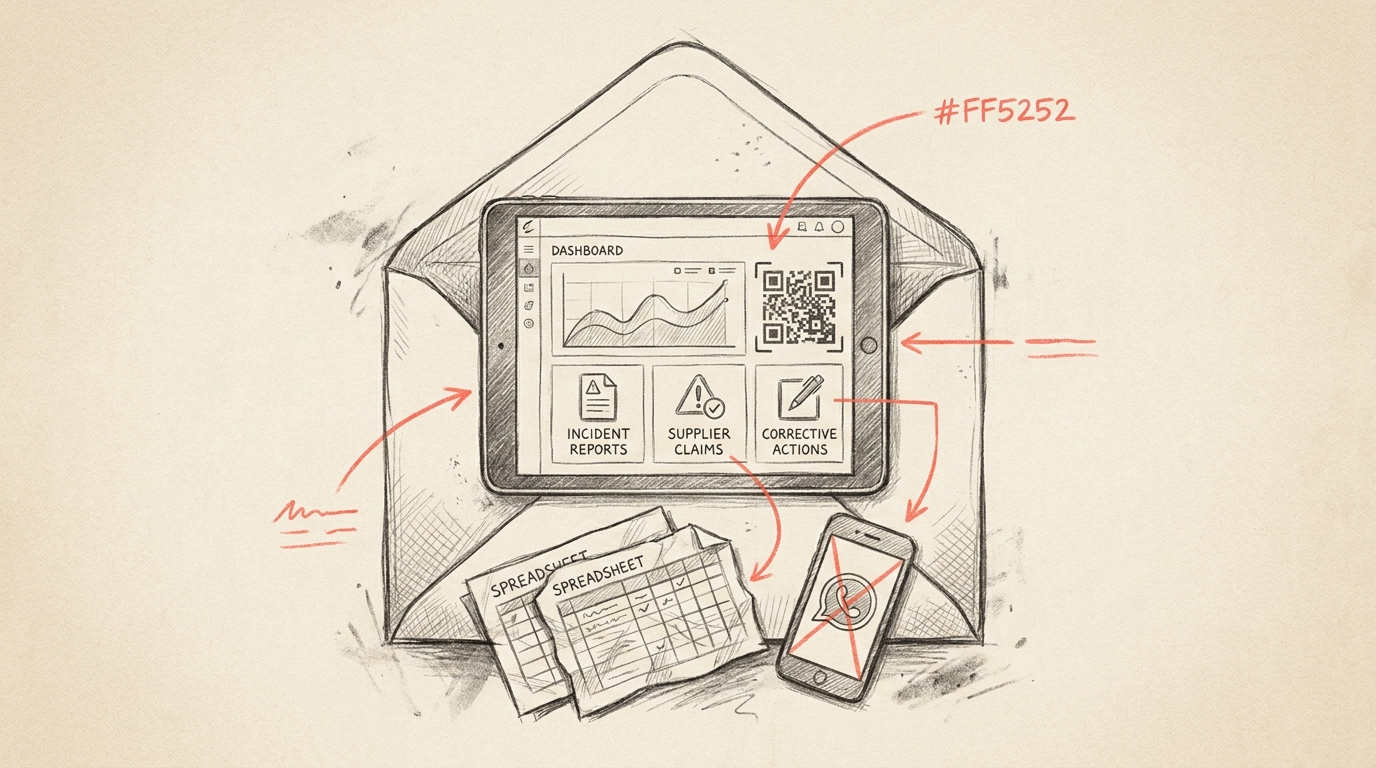
Modern quality management platforms replace fragmented spreadsheet and messaging app approaches with centralized systems that maintain communication standards while supporting real-time collaboration. When quality issues arise requiring formal supplier notifications or corrective action requests, standardized templates ensure professional, compliant communication.
Organizations tracking what are key performance indicators kpis across facilities benefit from systems that monitor communication effectiveness alongside operational metrics. Document delivery rates, response times, and resolution speeds become visible components of overall quality performance.
If your organization struggles with inconsistent quality communications, manual document preparation, or difficulty tracking formal correspondence across multiple locations, consider how integrated quality management platforms can transform your workflows. Visit our website to discover how replacing spreadsheets and fragmented communication tools with a real-time QRQC platform can improve incident management, supplier claims, corrective actions, and KPI visibility across every plant in your operation.
Standardized c4 window envelope templates represent just one element of comprehensive quality communication strategies. By connecting document standards with broader quality management systems, organizations achieve consistency, compliance, and efficiency that drive continuous improvement across all operational areas.
Article created using IntentRank