Professional Envelope Print Templates: Free Designs & Setup
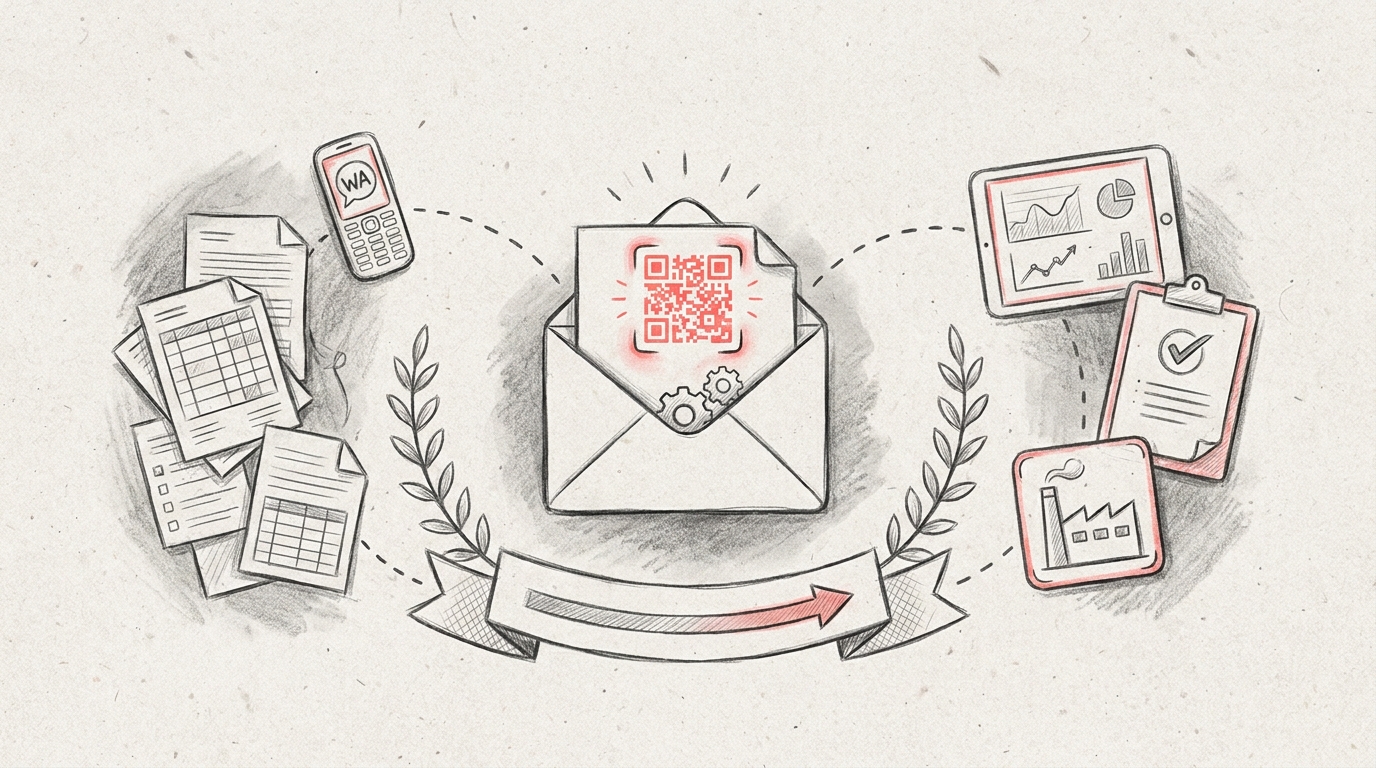
TL;DR: An envelope print template is a pre-designed layout that helps you create professional envelopes with proper formatting for addresses, return addresses, and logos. These templates are available in various sizes like business, A4, and legal envelopes, and can be customized using word processors or design software for consistent branding and efficient mailing.
Frequently Asked Questions

What is an envelope print template?
An envelope print template is a pre-designed digital file that provides the correct dimensions, margins, and layout guidelines for printing addresses and designs on envelopes. These templates ensure proper alignment and professional appearance when printing business correspondence, invitations, or mailings. Templates are available in standard sizes like #10, A7, and 6x9 inches, compatible with most word processors and design software.
How do I create an envelope print template in Word?
To create an envelope print template in Word, go to the Mailings tab and select Envelopes. Enter the delivery and return addresses, then click Options to choose your envelope size. Customize fonts, positioning, and add logos if needed. Save the document as a template (.dotx file) for reuse. You can also download pre-made Word envelope templates and customize them with your branding.
What are the standard envelope sizes for print templates?
Standard envelope sizes include #10 (4.125 x 9.5 inches) for business mail, A7 (5.25 x 7.25 inches) for greeting cards, and 6x9 inches for catalogs. Other common sizes are #9 (3.875 x 8.875 inches), A2 (4.375 x 5.75 inches), and 9x12 inches for documents. Each size requires specific template dimensions and margin settings for proper printing alignment.
Can I use Canva to design envelope print templates?
Yes, Canva offers customizable envelope print templates with drag-and-drop editing tools. You can choose from various envelope sizes, add text, logos, graphics, and adjust colors to match your brand. Canva provides both free and premium templates, similar to their invoice template and other business document options. Export your design as a PDF for professional printing or home use.
What file format should I use for envelope print templates?
The best file formats for envelope print templates are PDF for professional printing, DOCX for Microsoft Word compatibility, and PNG/JPEG for simple designs. PDF preserves formatting across all devices and printers. Word documents (.docx or .dotx) allow easy editing of addresses and text. For commercial printing, use high-resolution PDF files with proper bleed and trim marks.
How do envelope print templates help with business correspondence?
Envelope print templates ensure consistent branding and professional appearance across all business mailings. They save time by eliminating manual formatting, reduce printing errors through pre-set margins, and maintain quality standards for customer communications. Templates can include company logos, return addresses, and design elements that reinforce brand identity, similar to how a to do list template organizes workflow tasks.
Are there free envelope print templates available online?
Yes, numerous websites offer free envelope print templates including Microsoft Office templates, Canva, Template.net, and Adobe Express. These platforms provide templates in various sizes and styles for business, personal, and special occasions. Free templates are available in Word, PDF, and editable formats. Some sites also offer printable templates similar to bubble letter templates and pumpkin carving templates for different purposes.
What information should be included in an envelope print template?
An envelope print template should include the recipient's delivery address in the center, return address in the upper left corner, and optional postage area in the upper right. Include proper spacing and margins (typically 0.5 inches) for printer compatibility. Business templates may add company logos, taglines, or branding elements. Ensure text is legible with appropriate font sizes: 10-12pt for addresses.
Understanding Envelope Print Templates: A Comprehensive Guide

An envelope print template is a pre-designed digital file that provides the exact specifications, dimensions, and layout guidelines needed to create professional envelopes for business or personal use. Whether you're managing a manufacturing facility that needs branded communication materials or running a small business requiring consistent professional correspondence, understanding how to use envelope print templates effectively can streamline your document management processes.
In today's digital workflow environment, envelope print templates have become essential tools for maintaining brand consistency and operational efficiency. These templates eliminate guesswork, reduce printing errors, and ensure that every piece of correspondence meets professional standards.
This comprehensive guide explores everything you need to know about envelope print templates, from design fundamentals to integration with quality management systems and operational workflows.
What Are Envelope Print Templates and Why They Matter

Envelope print templates serve as standardized frameworks that define the precise dimensions, margins, and placement guidelines for printing on envelopes. They function similarly to how a cover note template provides structure for business communications or how a purchase order template in word standardizes procurement documentation.
Key Components of Professional Envelope Templates
Every effective envelope print template includes several critical elements that ensure print-ready accuracy:
- Bleed areas: Extra space beyond the trim line to prevent white edges after cutting
- Safe zones: Margins where important content should remain to avoid cutting
- Address placement guides: Precise positioning for recipient and return addresses
- Fold marks: Indicators for proper envelope assembly if using flat printing
- Color specifications: CMYK or Pantone values for consistent brand reproduction
These components work together much like how what are key performance indicators kpis work in manufacturing operations—they provide measurable standards that ensure consistent quality outcomes.
Standard Envelope Sizes and Template Specifications
Understanding standard envelope dimensions is crucial for creating effective print templates. Different envelope sizes serve different purposes in business and operational contexts.
| Envelope Type | Dimensions (inches) | Common Uses | Template Considerations |
|---|---|---|---|
| #10 Business | 4.125 x 9.5 | Standard business correspondence | 0.25" margins, window option at 0.875" from left |
| A7 | 5.25 x 7.25 | Invitations, announcements | Centered design elements, 0.5" safe zone |
| 6x9 Booklet | 6 x 9 | Catalogs, brochures | Full-bleed capability, 0.125" bleed |
| 9x12 Catalog | 9 x 12 | Documents, reports | Large format printing, reinforced seams |
Just as integrated program management requires coordination across multiple operational systems, selecting the right envelope template requires understanding how it fits within your broader document management workflow.
International Envelope Standards
For organizations operating globally, understanding international envelope standards is essential:
- C4 (229 x 324 mm): European standard for A4 documents
- C5 (162 x 229 mm): For A5 documents or folded A4 sheets
- DL (110 x 220 mm): Most common European business envelope
- B4 (250 x 353 mm): Asian standard for larger documents
Creating Effective Envelope Print Templates
Designing a functional envelope print template requires attention to both aesthetic and technical specifications. The process shares similarities with creating other standardized business documents like a canva invoice template or to do list template—precision and consistency are paramount.
Design Software Options
Several software platforms excel at envelope template creation:
- Adobe Illustrator: Industry standard for precise vector-based designs
- Adobe InDesign: Excellent for templates with variable data integration
- Microsoft Word: Accessible option with built-in envelope tools
- Canva: User-friendly platform with pre-made envelope templates
- CorelDRAW: Professional alternative with robust printing features
Step-by-Step Template Creation Process
Creating a professional envelope print template follows a systematic approach:
- Set document dimensions: Input exact envelope size plus bleed (typically 0.125")
- Establish guides: Create margin guides for safe zones and address placement
- Design visual elements: Add logos, brand colors, and decorative features
- Position address areas: Place recipient and return address blocks precisely
- Configure print settings: Set color mode to CMYK and resolution to 300 DPI minimum
- Test print: Run sample prints to verify alignment and color accuracy
- Document specifications: Create a spec sheet for future printing
This systematic approach mirrors the methodology used in lean and six sigma processes, where standardization and continuous improvement drive operational excellence.
Integration with Quality Management Systems
For manufacturing and operations professionals, envelope print templates represent just one component of comprehensive document control systems. Integration with a qms quality management system ensures that all printed materials maintain consistency with organizational standards.
Document Control Best Practices
Effective envelope template management within quality systems includes:
- Version control: Track template revisions with date stamps and approval workflows
- Access management: Limit editing permissions to authorized personnel
- Audit trails: Maintain records of template usage and modifications
- Standardization protocols: Ensure templates align with brand guidelines and regulatory requirements
- Digital repositories: Store templates in centralized, accessible locations
Organizations using platforms like QRQC — Industrial Quality Control Software can integrate document templates into their broader quality management workflows, ensuring consistency across all operational communications.
Linking Templates to Operational KPIs
Understanding what are key performance indicators kpis means recognizing how even seemingly minor elements like envelope templates contribute to operational efficiency:
| KPI Category | Metric | Target | Impact |
|---|---|---|---|
| Print Accuracy | Alignment error rate | <1% | Reduced material waste |
| Production Time | Setup time per print run | <5 minutes | Increased throughput |
| Brand Consistency | Template compliance rate | 100% | Professional appearance |
| Cost Efficiency | Waste reduction percentage | >15% | Lower operational costs |
Printing Methods and Technical Considerations
The printing method you choose significantly impacts your envelope template design requirements. Different printing technologies have unique specifications and limitations.
Digital Printing
Digital printing offers flexibility and cost-effectiveness for short to medium print runs:
- Advantages: No setup plates required, variable data capability, quick turnaround
- Limitations: Higher per-unit cost for large volumes, limited specialty ink options
- Template requirements: 300 DPI resolution, CMYK color mode, PDF/X format
- Best for: Runs under 5,000 units, personalized mailings
Offset Printing
Offset printing remains the standard for high-volume envelope production:
- Advantages: Lower per-unit cost at volume, superior color consistency, specialty ink options
- Limitations: Higher setup costs, longer lead times, minimum order quantities
- Template requirements: Precise registration marks, color separations, press-ready PDFs
- Best for: Runs exceeding 10,000 units, standard designs
Inkjet and Laser Printing
In-house printing solutions provide immediate access and control:
- Equipment considerations: Envelope feeders, straight-through paper paths
- Template adjustments: Printer-specific margin requirements, color calibration
- Quality factors: Paper weight compatibility, ink absorption rates
Template Customization for Different Business Needs
Just as organizations create specialized templates for various purposes—from pumpkin carving templates print for seasonal marketing to bubble letter template printable for educational materials—envelope templates must adapt to specific business requirements.
Corporate Branding Envelopes
Professional corporate envelopes require careful attention to brand guidelines:
- Precise logo placement and sizing specifications
- Consistent use of corporate color palettes (PMS matching)
- Typography that aligns with brand standards
- Tagline or mission statement integration when appropriate
- Contact information formatting and placement
Marketing and Promotional Envelopes
Marketing envelopes benefit from creative design elements that capture attention:
- Full-color graphics and imagery
- Teaser copy to encourage opening
- Unique sizes or formats for differentiation
- Special finishes (spot UV, foil stamping, embossing)
- QR codes or promotional codes
Operational and Administrative Envelopes
For day-to-day operations, functional templates prioritize efficiency:
- Window envelopes with precise address positioning
- Department identification and routing information
- Security tinting for confidential documents
- Barcode integration for automated sorting
- Sequential numbering for tracking purposes
These operational templates integrate naturally with other business document systems, similar to how organizations use standardized formats for various purposes across their operations.
Common Envelope Template Mistakes and Solutions
Even experienced designers encounter challenges when creating envelope print templates. Understanding common pitfalls helps prevent costly errors.
Technical Design Errors
| Problem | Cause | Solution | Prevention |
|---|---|---|---|
| Address cutoff | Insufficient margins | Reposition content within safe zone | Use 0.25" minimum margins |
| Color mismatch | RGB instead of CMYK | Convert color mode before printing | Set CMYK from project start |
| Blurry graphics | Low resolution images | Replace with 300 DPI versions | Use vector graphics when possible |
| Misalignment | Incorrect dimensions | Verify envelope size specifications | Double-check measurements before design |
Print Production Issues
Production problems often stem from inadequate template preparation:
- Ink coverage problems: Excessive coverage can cause cracking when envelopes fold
- Registration errors: Multi-color designs require precise alignment marks
- Paper compatibility: Template designs must account for envelope material characteristics
- Finishing conflicts: Design elements may interfere with sealing or windowing
Addressing these issues requires the same systematic problem-solving approach used in lean and six sigma methodologies—identifying root causes and implementing preventive measures.
Advanced Template Features and Automation
Modern envelope print templates can incorporate sophisticated features that enhance functionality and efficiency, particularly when integrated with broader operational systems.
Variable Data Printing Integration
Variable data printing (VDP) allows each printed envelope to contain unique information:
- Personalized addressing: Database-driven recipient information
- Custom messaging: Tailored content based on recipient data
- Sequential numbering: Automated tracking and identification
- Conditional content: Design elements that change based on data fields
- QR code generation: Unique codes for each envelope
Template Management Systems
Organizations with multiple locations or departments benefit from centralized template management:
- Cloud-based template libraries accessible across facilities
- Role-based access controls for template editing and usage
- Automated version control and update notifications
- Usage analytics and reporting capabilities
- Integration with procurement and inventory systems
This approach aligns with integrated program management principles, where coordinated systems drive operational efficiency across multiple sites and functions.
Cost Optimization and Sustainability
Effective envelope template design contributes to both cost reduction and environmental sustainability—key concerns for modern manufacturing and operations management.
Cost Reduction Strategies
Strategic template design can significantly reduce printing costs:
- Standard sizing: Using common envelope sizes reduces custom manufacturing costs
- Ink optimization: Limiting coverage areas decreases ink consumption
- Efficient layouts: Maximizing usable space reduces waste
- Digital proofing: Virtual approvals eliminate physical proof costs
- Volume consolidation: Standardized templates enable bulk ordering discounts
Environmental Considerations
Sustainable envelope template practices support corporate environmental goals:
- Specifying recycled paper stocks in template guidelines
- Designing for minimal ink coverage to facilitate recycling
- Avoiding lamination or coatings that prevent biodegradation
- Using water-based or soy-based inks when possible
- Optimizing template efficiency to reduce material waste
These sustainability initiatives complement broader qms quality management system objectives, where environmental performance increasingly factors into overall quality metrics.
Regulatory and Postal Requirements
Envelope print templates must comply with postal regulations to ensure deliverability and avoid processing delays or surcharges.
USPS Requirements
United States Postal Service specifications impact template design:
- Address placement: Delivery address must be in specific zone (lower right quadrant)
- Return address location: Upper left corner with specific sizing
- Barcode clear zone: 4.5" x 0.625" area at bottom must remain clear
- Postage placement: Upper right corner with adequate clearance
- Aspect ratio: Length divided by height must be between 1.3 and 2.5
International Mailing Standards
Cross-border correspondence requires additional considerations:
- Customs declaration placement areas
- Country-specific addressing format requirements
- Language and character set compatibility
- International barcode standards (if applicable)
- Size and weight restrictions for destination countries
Maintaining compliance across multiple jurisdictions requires the same attention to detail that quality managers apply when tracking what are key performance indicators kpis across multi-plant operations.
Digital Transformation and Future Trends
While physical mail remains important for business operations, envelope print templates are evolving alongside digital transformation initiatives.
Hybrid Communication Strategies
Modern organizations blend physical and digital communications:
- QR code integration: Linking physical mail to digital experiences
- Augmented reality features: Scannable elements that activate digital content
- Tracking integration: Envelopes with embedded tracking for delivery confirmation
- Digital-to-print workflows: Automated generation from digital systems
- Personalization at scale: Data-driven customization for mass mailings
Emerging Technologies
New technologies are reshaping envelope template capabilities:
- AI-powered design optimization for maximum impact
- Automated compliance checking against postal regulations
- Predictive analytics for print volume planning
- Blockchain-based authentication for secure documents
- Smart envelope technologies with embedded sensors
For organizations seeking to modernize their quality management and operational processes, platforms like QRQC demonstrate how traditional business processes can be enhanced through digital transformation while maintaining essential physical touchpoints.
Implementing Envelope Templates Across Your Organization
Successfully deploying standardized envelope print templates requires a structured implementation approach that considers technical, operational, and organizational factors.
Implementation Roadmap
- Audit current practices: Document existing envelope usage and identify standardization opportunities
- Define requirements: Establish specifications based on operational needs and brand guidelines
- Design templates: Create master templates for each identified use case
- Test and validate: Run pilot prints to verify technical accuracy and usability
- Document procedures: Create usage guidelines and technical specifications
- Train users: Educate staff on template access, customization limits, and ordering processes
- Monitor compliance: Track template usage and address deviations
- Continuous improvement: Gather feedback and refine templates based on experience
Change Management Considerations
Successful template adoption requires addressing organizational change:
- Communicating the benefits of standardization to stakeholders
- Providing adequate training and support resources
- Establishing clear ownership and governance structures
- Creating feedback mechanisms for continuous improvement
- Celebrating early wins to build momentum
This systematic approach mirrors the methodology organizations use when implementing other standardized business tools and templates across their operations.
Measuring Template Effectiveness
Like any operational initiative, envelope template programs benefit from measurement and continuous improvement. Establishing relevant metrics helps demonstrate value and identify optimization opportunities.
Key Performance Metrics
| Metric Category | Specific Measure | Calculation Method | Target Range |
|---|---|---|---|
| Cost Efficiency | Cost per envelope | Total printing cost / quantity produced | 10-15% reduction annually |
| Quality | Error rate | Defective envelopes / total produced | <0.5% |
| Compliance | Template adherence | Compliant usage / total usage | >95% |
| Efficiency | Production time | Average setup and print time per job | 20% improvement vs. baseline |
Continuous Improvement Process
Regular review and refinement ensure templates remain effective:
- Quarterly template performance reviews
- User feedback collection and analysis
- Comparison against industry benchmarks
- Technology and capability assessments
- Alignment with evolving brand guidelines
This measurement-driven approach aligns with broader quality management principles, where data-driven decision making drives operational excellence.
Conclusion: Maximizing Value from Envelope Print Templates
Envelope print templates represent far more than simple design files—they're strategic tools that contribute to operational efficiency, brand consistency, and cost management. When properly designed, implemented, and managed, these templates deliver measurable benefits across manufacturing, operations, and administrative functions.
The most successful organizations treat envelope templates as integral components of their broader document management and quality control systems. By applying the same rigor to template development that they apply to other operational processes, they achieve consistency, reduce waste, and maintain professional standards across all communications.
Whether you're managing quality across multiple manufacturing plants, coordinating supplier communications, or ensuring consistent brand presentation, standardized envelope print templates provide the foundation for professional, efficient correspondence. The key lies in balancing creative brand expression with technical precision, regulatory compliance, and operational practicality.
As organizations continue their digital transformation journeys, the integration of physical and digital communication tools becomes increasingly important. Modern platforms that connect quality management, incident tracking, and operational communications demonstrate how traditional business processes can be enhanced through technology while maintaining essential physical touchpoints.
For manufacturing and operations professionals seeking to optimize every aspect of their quality management processes—from incident response to supplier communications—comprehensive digital solutions offer significant advantages. Visit our website to discover how QRQC's integrated platform can replace fragmented spreadsheets and messaging apps with real-time incident management, supplier claims tracking, corrective actions, and KPI dashboards across all your facilities. Transform your quality management approach with tools designed specifically for multi-plant manufacturing operations.
Article created using IntentRank