Free Questionnaire Template Word: Download & Customize Guide
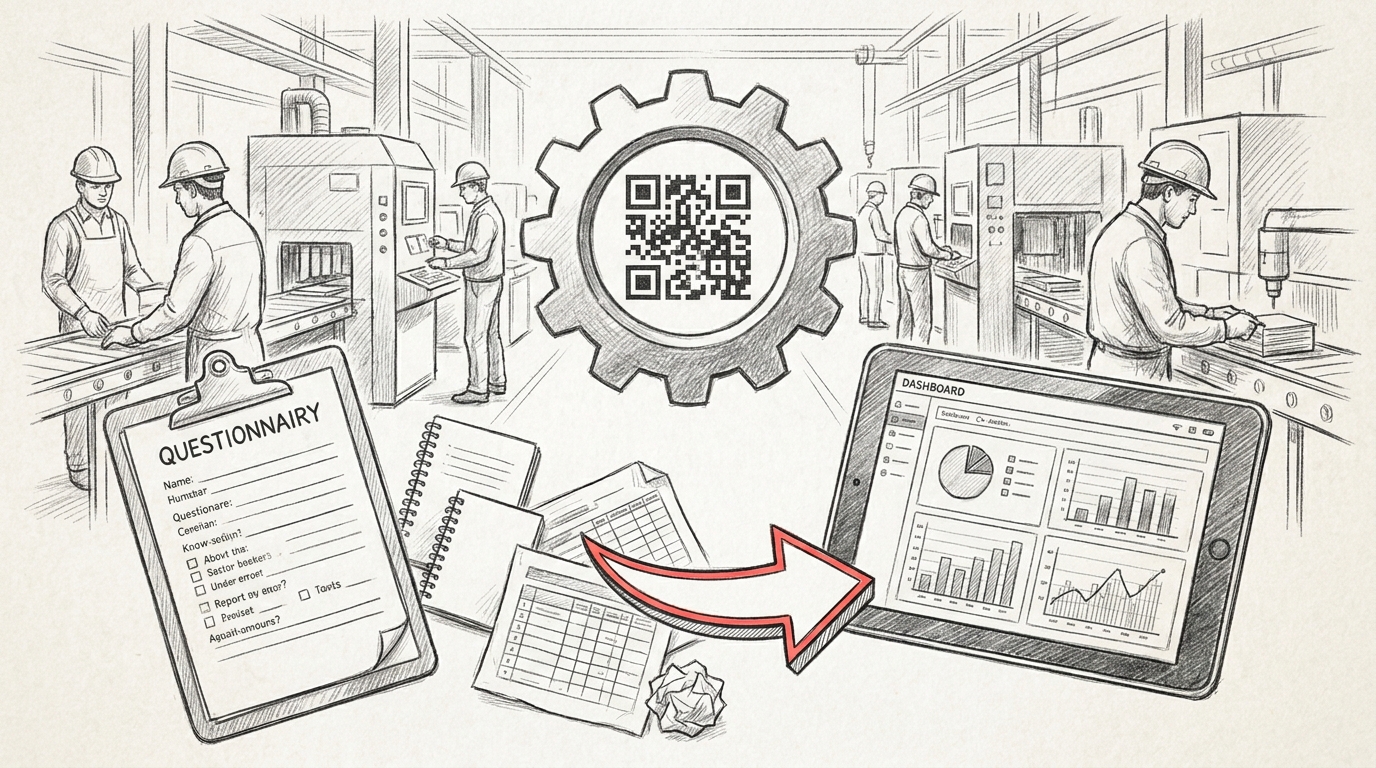
TL;DR: A questionnaire template Word is a pre-formatted Microsoft Word document that provides a structured framework for creating surveys and collecting feedback. These templates include customizable question formats, response fields, and layouts that help users quickly design professional questionnaires without starting from scratch, saving time while ensuring consistent data collection across organizations.
Frequently Asked Questions

What is a questionnaire template in Word?
A questionnaire template in Word is a pre-formatted document that provides a structured framework for creating surveys and data collection forms. It includes predefined sections for questions, answer fields, and formatting elements. These templates save time by eliminating the need to design questionnaires from scratch, ensuring consistent layout and professional appearance across all survey documents.
How do I create a questionnaire template in Word?
To create a questionnaire template in Word, open a new document and design your question layout using tables, text boxes, or checkboxes. Add form fields through the Developer tab by enabling content controls. Format headers, question numbering, and response areas. Save the document as a Word Template (.dotx) file so you can reuse it for multiple surveys while preserving the original structure.
What are the key components of an effective questionnaire template?
An effective questionnaire template includes a clear title and introduction, demographic questions, well-structured question sections with consistent formatting, various response types (multiple choice, rating scales, open-ended), clear instructions, logical question flow, adequate white space for readability, and a thank-you section. Including numbering and section headers helps organize the questionnaire for better completion rates.
Where can I find free questionnaire templates for Word?
Free questionnaire templates for Word are available through Microsoft Office's built-in template gallery, accessed via File > New > Search for 'questionnaire.' Additional sources include Microsoft's online template library, Template.net, Vertex42, and Canva's downloadable Word templates. Many quality management system (QMS) platforms also offer industry-specific questionnaire templates for incident management and corrective actions.
How do questionnaire templates integrate with quality management systems?
Questionnaire templates integrate with quality management systems (QMS) by standardizing data collection for audits, incident management, and supplier claims. Modern QMS platforms replace static Word templates with real-time digital forms that automatically populate KPI dashboards, track corrective actions, and enable QRQC (Quick Response Quality Control) processes. This integration eliminates spreadsheets and improves response tracking across multiple plants.
What is the difference between a questionnaire template and a survey form?
A questionnaire template is a reusable document framework designed for creating multiple surveys with consistent formatting, while a survey form is a completed, specific questionnaire distributed to respondents. Templates serve as master documents that can be customized for different purposes, whereas survey forms are the final versions containing actual questions for data collection in specific contexts or projects.
Can I use questionnaire templates in Word for performance tracking?
Yes, questionnaire templates in Word can be used for performance tracking by creating structured forms for collecting key performance indicators (KPIs), employee feedback, and process evaluations. However, real-time platforms offer superior tracking capabilities with automated dashboards, instant data aggregation, and integrated program management features. For comprehensive performance monitoring across multiple locations, digital QMS platforms provide better visibility than static Word documents.
How do I add checkboxes and form fields to a Word questionnaire template?
To add checkboxes and form fields in Word, enable the Developer tab through File > Options > Customize Ribbon. Click Developer, then insert content controls like checkbox, drop-down list, or text fields. For legacy forms, use the Legacy Tools option to insert form fields. Protect the document using Developer > Restrict Editing to allow users to fill forms without altering the template structure.
Introduction to Questionnaire Template Word: Your Complete Guide

Creating effective questionnaires is essential for gathering accurate data, whether you're conducting employee satisfaction surveys, customer feedback collection, or quality control assessments in manufacturing environments. A well-designed questionnaire template word document streamlines the survey creation process, ensuring consistency and professionalism across your organization.
Microsoft Word remains one of the most accessible and versatile tools for creating questionnaire templates. Unlike specialized survey software, Word templates offer flexibility, offline editing capabilities, and compatibility with existing document management systems. This makes them particularly valuable for manufacturing quality managers overseeing multi-plant operations who need standardized data collection tools.
In this comprehensive guide, we'll explore how to create, customize, and optimize questionnaire templates in Word for various business applications. We'll also examine how these templates integrate with modern quality management systems and digital platforms to enhance operational efficiency.
Understanding Questionnaire Templates and Their Business Applications

What Makes an Effective Questionnaire Template
An effective questionnaire template serves as a reusable framework that maintains consistency while allowing customization for specific scenarios. The best templates balance structure with flexibility, ensuring data collection remains standardized while accommodating unique situational requirements.
Key elements of professional questionnaire templates include:
- Clear, unambiguous questions that eliminate interpretation errors
- Logical flow that guides respondents through the survey naturally
- Appropriate response formats (multiple choice, rating scales, open-ended)
- Professional formatting that reflects organizational branding
- Space for metadata such as date, location, and respondent information
Common Use Cases Across Industries
Questionnaire templates serve diverse purposes across manufacturing and operations management. Understanding these applications helps you design templates that meet specific organizational needs.
Manufacturing facilities frequently use questionnaires for quality audits, safety inspections, and supplier evaluations. These structured documents ensure compliance with quality control standards while providing documented evidence of systematic review processes.
Operations directors managing incident response rely on standardized questionnaires to gather consistent information during root cause analysis. This structured approach supports methodologies like lean and six sigma, where data accuracy directly impacts improvement initiatives.
Creating Your Questionnaire Template Word Document
Step-by-Step Template Development Process
Building a questionnaire template in Word requires careful planning and attention to design principles. Follow this systematic approach to create professional, functional templates that serve your organization effectively.
- Define your objectives: Clearly identify what information you need to collect and how it will be analyzed
- Structure your questions: Organize questions into logical sections with clear headings
- Choose response formats: Select appropriate answer types (checkboxes, radio buttons, text fields)
- Design the layout: Use tables, borders, and formatting to create visual hierarchy
- Add instructions: Include clear guidance for respondents and administrators
- Test thoroughly: Pilot the template with actual users before full deployment
Essential Word Features for Template Creation
Microsoft Word offers powerful features specifically designed for template development. Mastering these tools elevates your questionnaires from simple documents to professional data collection instruments.
Content controls enable you to create interactive form fields that guide respondents. Check boxes, drop-down lists, and date pickers make questionnaires easier to complete while ensuring data consistency. These controls also facilitate digital completion and automated data extraction.
| Control Type | Best Use Case | Data Quality Benefit |
|---|---|---|
| Check Box | Multiple selection questions | Eliminates ambiguous responses |
| Drop-Down List | Predefined answer options | Ensures standardized responses |
| Date Picker | Temporal data collection | Prevents date format errors |
| Text Box | Open-ended responses | Captures detailed feedback |
| Rich Text | Formatted explanations | Allows detailed documentation |
Formatting Best Practices for Professional Templates
Visual design significantly impacts questionnaire completion rates and data quality. Professional formatting communicates credibility and makes questionnaires easier to navigate.
Use consistent fonts throughout your template, typically limiting yourself to two complementary typefaces. Headers should be bold and larger than body text, creating clear visual hierarchy. Similar to how you might approach a cover note template or canva invoice template, maintain brand consistency with organizational colors and logos.
Tables provide excellent structure for questionnaires, allowing you to align questions and response options cleanly. Alternating row shading improves readability, particularly for longer questionnaires. White space prevents visual clutter and reduces respondent fatigue.
Questionnaire Templates for Quality Management Systems
Integrating Templates with QMS Processes
A robust qms quality management system relies on standardized data collection methods. Questionnaire templates form the foundation of systematic quality audits, corrective action investigations, and continuous improvement initiatives.
Manufacturing quality managers overseeing multi-plant operations need templates that ensure consistency across facilities. Standardized questionnaires enable meaningful comparisons between sites, identifying best practices and highlighting areas requiring attention. This standardization supports integrated program management by providing uniform data across all operational units.
When designing quality management questionnaires, incorporate fields that capture essential metadata such as facility location, shift information, equipment identification, and personnel involved. This contextual information proves invaluable during trend analysis and root cause investigation.
Supplier Quality and Claims Management
Supply chain professionals handling supplier quality issues require specialized questionnaire templates that document non-conformances, corrective actions, and verification activities. These templates should align with your organization's supplier management protocols while meeting industry standards.
Effective supplier questionnaires include sections for:
- Detailed problem description with supporting evidence requirements
- Impact assessment including affected lots, quantities, and customers
- Root cause analysis findings and supporting documentation
- Corrective and preventive actions with implementation timelines
- Verification methods and effectiveness confirmation
Similar to a purchase order template in word, supplier quality questionnaires should maintain professional formatting while capturing all necessary information. Digital platforms like QRQC software can transform these static templates into dynamic, trackable processes with automated workflows and real-time visibility.
Incident Response and Corrective Action Templates
Operations directors managing incident response need questionnaire templates that facilitate rapid information gathering while ensuring thorough investigation. These templates guide investigators through systematic analysis, preventing critical details from being overlooked.
Incident questionnaires should follow established problem-solving methodologies. Whether you use 8D, PDCA, or other approaches, your template should reflect these structured processes. This alignment ensures that questionnaire data directly supports your corrective action system.
Plant managers tracking quality KPIs across facilities benefit from questionnaires that capture quantifiable metrics. Include fields for measuring what are key performance indicators kpis such as defect rates, response times, containment effectiveness, and recurrence prevention. This data feeds directly into performance dashboards and management reviews.
Advanced Template Customization and Automation
Using Styles and Themes for Consistency
Word styles enable you to maintain consistent formatting across multiple questionnaire templates. By defining styles for headings, questions, and response areas, you ensure visual uniformity while simplifying template updates.
Create custom style sets that reflect your organization's branding guidelines. When you need to update formatting across multiple templates, modifying the style definition automatically updates all instances. This efficiency proves particularly valuable when managing template libraries for multi-site operations.
Themes extend this consistency further by coordinating colors, fonts, and effects across your entire document suite. Whether you're creating a questionnaire template, to do list template, or presentation materials, themes ensure brand coherence.
Leveraging Macros for Enhanced Functionality
For organizations with advanced needs, Word macros add powerful automation capabilities to questionnaire templates. Macros can automatically calculate scores, populate fields based on responses, or generate summary reports.
Common macro applications include:
- Automatic date and time stamping when questionnaires are opened
- Calculation of compliance scores based on response patterns
- Conditional formatting that highlights critical issues
- Data export functions that prepare responses for analysis
- Validation rules that ensure complete and accurate responses
While macros enhance functionality, they require careful testing and security consideration. Document macro functionality clearly and provide training to users who will work with macro-enabled templates.
Converting Templates to Digital Forms
While Word templates serve many purposes effectively, digital transformation offers significant advantages for quality management processes. Converting static templates to interactive digital forms eliminates manual data entry, reduces errors, and enables real-time tracking.
Modern quality control platforms like QRQC transform traditional questionnaire workflows into collaborative, trackable processes. Instead of emailing Word documents or managing paper forms, teams access questionnaires through mobile devices, capturing photos, timestamps, and location data automatically.
This digital approach particularly benefits manufacturing environments where immediate visibility into quality issues drives faster resolution. Real-time dashboards replace static reports, and automated notifications ensure stakeholders stay informed without manual communication efforts.
Template Library Management and Best Practices
Organizing Your Template Collection
Organizations typically require multiple questionnaire templates for different purposes. Effective template management ensures users can quickly locate and deploy the correct version for each situation.
Establish a centralized template repository with clear naming conventions. Include version numbers, effective dates, and brief descriptions in file names. For example: "Supplier_Quality_Audit_v2.3_2024.dotx" immediately communicates the template's purpose and currency.
Similar to organizing other business documents like pumpkin carving templates print files or bubble letter template printable collections, use folder structures that reflect your organizational hierarchy and process flow. Separate templates by function (quality audits, safety inspections, customer surveys) and facility if managing multi-site operations.
| Practice | Benefit | Implementation Tip |
|---|---|---|
| Version Control | Prevents use of outdated templates | Include version number in file name and header |
| Access Controls | Ensures only authorized modifications | Use network permissions or document management system |
| Regular Reviews | Keeps templates current and relevant | Schedule annual template audits |
| User Training | Maximizes template effectiveness | Provide quick reference guides and examples |
| Feedback Mechanisms | Drives continuous improvement | Create simple process for suggesting enhancements |
Version Control and Template Updates
Maintaining current templates while preserving historical versions requires systematic version control. Document changes in a revision log, noting what was modified, why, and who approved the changes.
When updating templates, consider backward compatibility with existing data. If you modify response options or question wording, ensure historical data remains interpretable. This consideration proves critical when analyzing trends over time or comparing performance across periods.
Communicate template updates clearly to all users. Provide transition periods when introducing significant changes, allowing teams to complete in-progress assessments with familiar templates before switching to new versions.
Training and User Adoption
Even the best-designed questionnaire template fails if users don't understand how to use it effectively. Invest in training that covers both technical aspects (how to complete forms) and conceptual elements (why questions are structured as they are).
Create quick reference guides that supplement templates. These one-page documents explain completion instructions, common errors to avoid, and submission procedures. Laminated reference cards work well in manufacturing environments where users access templates from shop floor locations.
Gather user feedback regularly to identify pain points and improvement opportunities. Front-line employees often recognize practical issues that designers overlook. This feedback loop, similar to continuous improvement principles in lean and six sigma methodologies, ensures templates evolve to meet actual operational needs.
Transitioning from Templates to Digital Quality Management
Limitations of Static Word Templates
While questionnaire templates in Word provide valuable structure, they present inherent limitations in modern manufacturing environments. Static documents lack real-time collaboration capabilities, making it difficult for distributed teams to work together on quality issues.
Data extraction from completed Word questionnaires requires manual effort. Someone must read through documents, enter information into spreadsheets, and create reports. This manual processing introduces delays and transcription errors, undermining data quality.
Version control becomes challenging as completed questionnaires circulate via email. Determining which version represents the final response, tracking who made changes, and maintaining audit trails requires significant administrative effort.
Benefits of Digital QRQC Platforms
Modern quality management platforms address these limitations while preserving the structure that makes templates valuable. Digital solutions like QRQC transform questionnaire workflows into dynamic, collaborative processes.
Key advantages of digital platforms include:
- Real-time data capture with automatic timestamps and location tracking
- Photo and video evidence attached directly to quality incidents
- Automated notifications that keep stakeholders informed without manual communication
- Dashboard visibility into quality metrics and KPIs across all facilities
- Searchable databases that enable trend analysis and pattern recognition
- Mobile accessibility for shop floor users without computer access
For manufacturing quality managers overseeing multi-plant operations, digital platforms provide unprecedented visibility. Instead of waiting for emailed reports, you access real-time dashboards showing quality performance across your entire operation. This immediate visibility enables faster response to emerging issues.
Implementing Hybrid Approaches
Organizations don't need to abandon Word templates entirely when adopting digital solutions. Many successful implementations use hybrid approaches that leverage both tools strategically.
Use Word templates for initial questionnaire design and stakeholder review. The familiar environment facilitates collaboration during development. Once finalized, translate the template into your digital platform, maintaining the same question structure and logic.
Maintain Word versions as backup documentation and for situations requiring offline completion. Some audit scenarios or remote locations may necessitate paper-based data collection. Having current Word templates ensures consistency even when digital tools aren't accessible.
This hybrid approach provides flexibility while moving toward more efficient digital processes. It also eases change management, allowing teams to transition gradually rather than facing abrupt workflow disruptions.
Measuring Questionnaire Effectiveness and Continuous Improvement
Key Metrics for Template Performance
Effective questionnaire templates should be evaluated systematically to ensure they meet organizational needs. Tracking performance metrics helps identify improvement opportunities and justify resource investments in template development.
Important metrics include completion rates, time required to finish questionnaires, error frequencies, and data quality assessments. Low completion rates may indicate templates are too long or confusing. Excessive completion times suggest questions need simplification or better organization.
Monitor how questionnaire data gets used in decision-making processes. Templates that generate data nobody analyzes waste resources. Conversely, questionnaires that drive meaningful improvements demonstrate clear value. This outcome-focused evaluation aligns with principles underlying what are key performance indicators kpis in quality management.
Gathering User Feedback
The people who complete questionnaires daily provide invaluable insights into template effectiveness. Establish regular feedback mechanisms that capture user experiences and suggestions.
Simple feedback methods include:
- Brief surveys asking users to rate template clarity and usability
- Focus groups with representatives from different departments or facilities
- Suggestion boxes (physical or digital) for continuous input
- Analysis of common completion errors indicating confusing questions
- Review sessions where completed questionnaires are discussed with users
Act on feedback promptly to maintain user engagement. When suggestions lead to improvements, communicate these changes and acknowledge contributors. This responsiveness builds buy-in and encourages continued participation in template refinement.
Iterative Template Refinement
Treat questionnaire templates as living documents that evolve with your organization's needs. Schedule regular reviews to assess whether templates still align with current processes, regulations, and quality objectives.
Document lessons learned from each template revision. What changes improved completion rates? Which modifications enhanced data quality? This institutional knowledge guides future template development and helps train new quality management team members.
Consider how template improvements might benefit from digital transformation. If you're repeatedly modifying templates to add calculation fields or conditional logic, these needs might be better served by dedicated quality management software that offers these capabilities natively.
Conclusion: Optimizing Your Quality Data Collection
Questionnaire templates in Word provide accessible, flexible tools for structured data collection across manufacturing and quality management applications. By following best practices in template design, formatting, and management, you create professional instruments that drive consistent, accurate information gathering.
However, as your quality management needs grow in complexity and scale, consider how digital platforms can enhance these foundational tools. Modern solutions transform static templates into dynamic, collaborative processes that provide real-time visibility and automated workflows.
Whether you're conducting supplier quality audits, managing incident responses, or tracking corrective actions across multiple facilities, the right tools make the difference between reactive firefighting and proactive quality management. Digital platforms eliminate the manual overhead of spreadsheet management and email coordination, freeing your team to focus on solving quality issues rather than managing paperwork.
Ready to move beyond templates and spreadsheets? Discover how QRQC's industrial quality control platform transforms quality management with real-time incident tracking, automated workflows, and comprehensive KPI dashboards. Replace WhatsApp coordination and email chains with a purpose-built solution designed for manufacturing environments. Learn more about QRQC and see how leading manufacturers are revolutionizing their quality management processes.
For additional insights on optimizing your quality operations, explore our quality management blog featuring practical strategies for continuous improvement and operational excellence.
Article created using IntentRank