Post-It Print Template: Free Designs & Custom Options
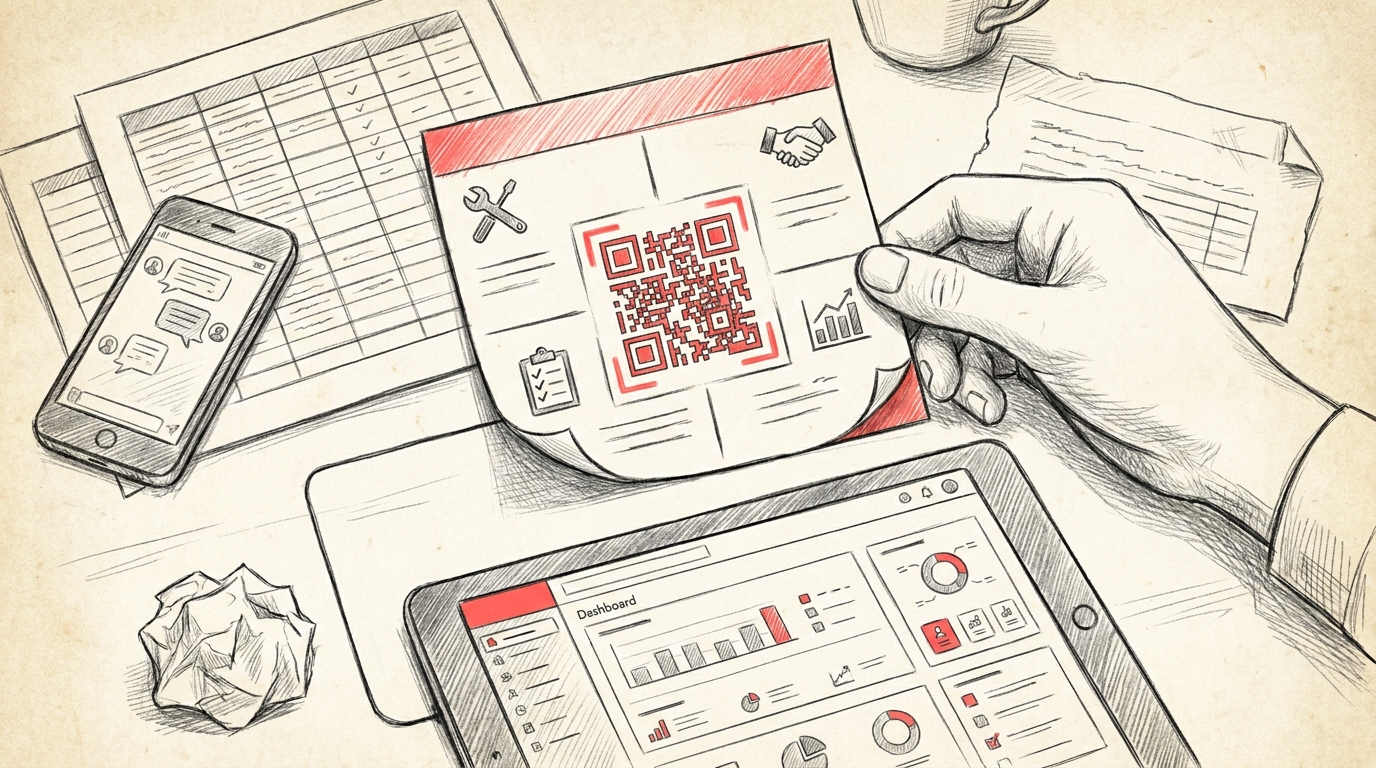
TL;DR: A post it print template is a downloadable document that allows you to create custom sticky notes for printing at home or work. These templates typically come in standard Post-it sizes, include multiple notes per page, and are compatible with common printers, helping organize tasks, reminders, and workflow management efficiently.
Frequently Asked Questions

What is a post it print template?
A post it print template is a pre-designed digital file that mimics the appearance and dimensions of physical sticky notes, allowing users to create custom printable notes. These templates typically come in standard Post-it sizes (3x3 inches or 4x6 inches) and can be customized with text, colors, and designs before printing on adhesive paper or regular paper.
How do I create a custom post it print template?
To create a custom post it print template, use design software like Canva, Microsoft Word, or Adobe Illustrator. Set your document dimensions to standard sticky note sizes (3x3 or 4x6 inches), add borders, colors, and text fields as needed. Save the template as a PDF or editable format for repeated use. Many platforms offer pre-made templates you can customize instantly.
What are the standard dimensions for post it print templates?
Standard post it print template dimensions include 3x3 inches (76x76mm) for square notes, 3x5 inches for rectangular notes, and 4x6 inches for larger formats. Mini sizes are typically 1.5x2 inches. When designing templates, include a 0.25-inch margin for printing accuracy and ensure dimensions match your adhesive paper or Post-it note pads for perfect alignment.
Can I use post it print templates for business KPI tracking?
Yes, post it print templates are excellent for visual KPI tracking and lean management practices. Teams can create custom sticky notes displaying key performance indicators, quality metrics, or Six Sigma data for physical boards. However, for real-time tracking across multiple plants, digital platforms with integrated dashboards provide better visibility and instant updates than printed templates.
What file formats work best for post it print templates?
PDF is the most reliable format for post it print templates as it preserves formatting across devices. Editable formats like Microsoft Word (.docx), PowerPoint (.pptx), and Canva templates allow customization before printing. PNG and JPG work for image-based templates. For professional printing, use high-resolution files (300 DPI) to ensure crisp text and clear graphics.
How are post it templates different from to do list templates?
Post it print templates are designed to match sticky note dimensions and are typically used for brief reminders, labels, or visual management. To do list templates are structured documents with checkboxes, priority columns, and task organization features. Post-its work for quick notes and kanban boards, while to do lists provide comprehensive task management with deadlines and categories.
Where can I download free post it print templates?
Free post it print templates are available on Canva, Microsoft Office templates, Template.net, and Pinterest. Google Docs and Sheets also offer customizable sticky note templates. Many productivity blogs provide downloadable PDFs in various sizes and designs. For business applications like incident management or quality tracking, specialized platforms offer integrated digital solutions beyond basic printable templates.
Can post it print templates be used for quality management systems?
Post it print templates can support visual quality management practices like 5S, gemba walks, and problem-solving boards in QMS environments. They're useful for displaying corrective actions, supplier claims, or QRQC issues on physical boards. However, modern quality management systems benefit more from digital platforms that provide real-time updates, automated workflows, and centralized documentation across multiple facilities.
Understanding Post It Print Template Solutions for Modern Workflows

In today's fast-paced business environment, the post it print template has evolved from simple sticky notes to sophisticated digital and printable solutions that streamline communication, task management, and visual organization. Whether you're managing quality control processes, coordinating team activities, or organizing personal projects, understanding how to effectively use printable templates can significantly enhance productivity and clarity.
Post-it note templates serve as versatile tools that bridge the gap between digital efficiency and tactile organization. They provide structured frameworks for capturing ideas, tracking tasks, and facilitating collaborative problem-solving across various industries, from manufacturing operations to creative agencies.
This comprehensive guide explores the various applications of post-it print templates, their integration with quality management systems, and how they complement modern digital workflows including industrial quality control software platforms.
What Are Post It Print Templates and Why They Matter

Post-it print templates are pre-designed layouts that replicate the functionality of physical sticky notes in both printable and digital formats. These templates provide structured spaces for capturing information, organizing thoughts, and facilitating visual management practices common in lean manufacturing and quality control environments.
Core Benefits of Using Printable Templates
- Visual Organization: Templates create consistent, recognizable formats that improve information processing and recall
- Standardization: Ensure uniform communication across teams and departments
- Flexibility: Adapt to various use cases from brainstorming sessions to incident tracking
- Cost-Effectiveness: Reduce reliance on branded sticky note products while maintaining functionality
- Integration Capability: Bridge physical and digital workflows seamlessly
The effectiveness of these templates becomes particularly evident when integrated with structured methodologies like lean and six sigma approaches, where visual management plays a crucial role in identifying waste and improving processes.
Essential Template Types for Business Operations
Different business needs require different template formats. Understanding the range of available templates helps organizations select the right tools for their specific workflows and operational requirements.
Task Management Templates
The to do list template represents one of the most fundamental organizational tools. These templates typically include checkboxes, priority indicators, and date fields that help teams track action items and deliverables.
| Feature | Purpose | Best Use Case |
|---|---|---|
| Priority Markers | Identify urgent vs. important tasks | Daily planning and incident response |
| Deadline Fields | Track time-sensitive deliverables | Project management and compliance |
| Status Indicators | Monitor progress visually | Team coordination and reporting |
| Assignment Sections | Clarify ownership and accountability | Cross-functional collaboration |
Business Documentation Templates
Professional templates streamline administrative processes and ensure consistency in business communications. A cover note template provides standardized formatting for transmittal letters and document introductions, while a canva invoice template offers customizable billing solutions for businesses of all sizes.
Similarly, a purchase order template in word enables procurement teams to maintain consistent ordering processes, reducing errors and improving supplier relationships. These templates become particularly valuable when managing supplier quality issues and tracking corrective actions across multiple vendors.
Creative and Specialized Templates
Beyond business applications, templates serve creative and educational purposes. A bubble letter template printable helps with signage and visual communication, while pumpkin carving templates print demonstrates how template concepts extend to seasonal and creative activities.
Integrating Templates with Quality Management Systems
Modern organizations increasingly recognize that printable templates must work in harmony with digital systems. A robust qms quality management system incorporates both physical and digital tools to create comprehensive quality oversight.
The Role of Templates in Quality Control
In manufacturing environments, post-it style templates facilitate rapid communication during quality incidents. They serve as physical tokens in visual management boards, tracking issues from identification through resolution.
This approach aligns with lean operations tools that emphasize visual management and immediate problem-solving. When integrated with digital platforms, these physical templates become data entry points that feed real-time dashboards and analytics.
Key Performance Indicators and Template Integration
Understanding what are key performance indicators kpis is essential for effective quality management. Templates designed for KPI tracking typically include:
- Metric identification fields
- Target vs. actual performance spaces
- Trend indicators (up, down, stable)
- Action item sections for out-of-spec conditions
- Timestamp and signature areas for accountability
These structured formats ensure that critical performance data isn't lost in informal communication channels like messaging apps, addressing a common challenge in multi-plant operations.
Creating Effective Post It Print Templates
Designing templates that actually get used requires understanding both aesthetic principles and functional requirements. Effective templates balance visual appeal with practical usability.
Design Principles for Maximum Usability
| Principle | Implementation | Impact |
|---|---|---|
| Simplicity | Limit fields to essential information only | Increases completion rates and reduces confusion |
| Consistency | Use standard fonts, colors, and layouts | Improves recognition and processing speed |
| Hierarchy | Emphasize critical fields through size and placement | Guides users to most important information first |
| White Space | Provide adequate spacing between elements | Enhances readability and reduces errors |
| Print Optimization | Use printer-friendly colors and dimensions | Reduces waste and ensures consistent output |
Technical Specifications for Printable Templates
When creating templates for printing, technical considerations ensure professional results and minimize resource waste:
- Paper Size Standardization: Design for common paper sizes (A4, Letter) to avoid printing complications
- Margin Settings: Include minimum 0.5-inch margins to accommodate most printer limitations
- Color Mode: Use CMYK color profiles for accurate print reproduction
- Resolution: Maintain 300 DPI for crisp text and graphics
- Font Selection: Choose legible fonts at small sizes (minimum 10pt for body text)
These specifications become particularly important when templates support critical processes like incident reporting or corrective action tracking, where legibility and clarity directly impact safety and quality outcomes.
Templates in Integrated Program Management
The concept of integrated program management recognizes that successful operations require coordination across multiple workstreams, locations, and functional areas. Templates serve as standardization tools that enable this coordination.
Multi-Site Quality Coordination
For manufacturing quality managers overseeing multi-plant operations, standardized templates ensure consistent data collection and reporting across facilities. This consistency enables meaningful comparisons and trend analysis that would be impossible with ad-hoc documentation methods.
When combined with digital platforms, these templates become the structured input mechanism for centralized quality dashboards. Plant managers can quickly document issues using familiar formats, while operations directors gain real-time visibility across all locations through quality control software platforms.
Supplier Quality Management
Supply chain professionals handling supplier quality issues benefit from templates that standardize claim documentation, corrective action requests, and performance tracking. These templates create a common language between organizations, reducing miscommunication and accelerating problem resolution.
- Supplier incident report templates capture issue details consistently
- Corrective action request templates ensure all necessary information is communicated
- Supplier scorecard templates enable objective performance comparisons
- Audit checklist templates maintain consistent evaluation standards
Digital Transformation and Template Evolution
While printable templates remain valuable, the future lies in hybrid approaches that combine physical and digital benefits. Understanding this evolution helps organizations make strategic decisions about their quality management infrastructure.
From Paper to Platform
The transition from spreadsheets and messaging apps to dedicated platforms represents a significant operational improvement. Traditional paper-based templates suffer from limitations including:
| Aspect | Paper Templates | Digital Platforms |
|---|---|---|
| Data Accessibility | Limited to physical location | Real-time access from anywhere |
| Analysis Capability | Manual compilation required | Automated analytics and dashboards |
| Version Control | Difficult to maintain consistency | Centralized updates and distribution |
| Audit Trail | Physical storage and retrieval challenges | Complete digital history with timestamps |
| Collaboration | Sequential, time-delayed | Simultaneous, real-time interaction |
Maintaining Template Benefits in Digital Systems
Effective digital platforms preserve the intuitive nature of physical templates while adding powerful capabilities. Key features include:
- Familiar Interfaces: Digital forms that mirror paper template layouts reduce training requirements
- Guided Workflows: Smart templates that prompt users for required information based on incident type
- Mobile Optimization: Templates accessible via smartphone or tablet at the point of discovery
- Offline Capability: Templates that function without connectivity, syncing when connection is restored
- Automated Routing: Templates that trigger notifications and assign tasks based on content
This approach bridges the gap between the simplicity that makes templates effective and the power that makes digital systems transformative.
Implementing Templates in Lean Manufacturing Environments
The principles of lean and six sigma emphasize visual management, standardized work, and continuous improvement—all areas where effective templates play crucial roles.
Visual Management Board Templates
Lean manufacturing relies heavily on visual management boards that display current status, issues, and performance metrics. Post-it style templates enable these boards by providing standardized formats for:
- Problem Cards: Documenting quality issues with consistent fields for description, impact, and status
- Kaizen Suggestions: Capturing improvement ideas in a structured format for evaluation
- Production Status: Showing current output against targets with visual indicators
- Safety Observations: Recording near-misses and hazards for immediate action
These physical templates create tangible representations of work status that entire teams can see and interact with during daily huddles and shift handovers.
Standardized Work Documentation
Templates support the creation and maintenance of standardized work instructions, ensuring that best practices are consistently followed. This standardization reduces variation—a key goal of six sigma methodology—and creates a baseline for continuous improvement efforts.
When quality incidents occur, having standardized templates for root cause analysis and corrective action ensures thorough investigation and prevents recurrence. This systematic approach aligns with the structured problem-solving methods central to both lean and six sigma philosophies.
Best Practices for Template Deployment and Management
Successfully implementing templates across an organization requires more than good design—it demands thoughtful change management and ongoing optimization.
Deployment Strategy
Rolling out new templates effectively involves several key steps:
- Pilot Testing: Validate templates with a small group before organization-wide deployment
- User Training: Ensure all stakeholders understand when and how to use each template
- Feedback Mechanisms: Create channels for users to suggest improvements
- Version Control: Maintain clear documentation of template versions and changes
- Accessibility: Ensure templates are easily accessible when and where needed
Continuous Improvement of Templates
Templates themselves should be subject to continuous improvement. Regular review cycles should assess:
| Metric | What It Measures | Target |
|---|---|---|
| Completion Rate | Percentage of templates fully filled out | >90% |
| Time to Complete | Average time users spend filling template | <5 minutes for most templates |
| Error Rate | Frequency of missing or incorrect information | <5% |
| Usage Frequency | How often templates are actually used vs. bypassed | 100% compliance for critical processes |
| User Satisfaction | Survey responses on template usefulness | >4.0 on 5-point scale |
Organizations that treat templates as living documents rather than static forms achieve significantly better adoption and effectiveness over time.
Enhancing Templates with Social Media Marketing Insights
While templates serve operational purposes, principles from digital marketing can enhance their effectiveness. Understanding how to create engaging visual content translates directly to template design.
Concepts from social media post design emphasize clarity, visual hierarchy, and immediate comprehension—all critical for effective templates. Similarly, understanding what content resonates with audiences helps designers create templates that users actually want to complete.
Visual Communication Principles
The same principles that make social media content effective apply to template design:
- Attention-Grabbing Headers: Clear, bold titles that immediately communicate purpose
- Scannable Layouts: Information organized for quick comprehension
- Strategic Color Use: Colors that guide attention and convey meaning
- Consistent Branding: Visual elements that reinforce organizational identity
Organizations can leverage insights from social media background design to create templates that are not only functional but visually appealing, increasing user engagement and completion rates.
Future Trends in Template Technology
The evolution of template technology continues to accelerate, driven by advances in artificial intelligence, mobile technology, and data analytics.
Emerging Capabilities
Next-generation template systems will incorporate:
- AI-Assisted Completion: Systems that suggest content based on historical patterns and context
- Voice Input: Hands-free template completion using voice recognition technology
- Image Recognition: Automatic population of templates from photos of defects or conditions
- Predictive Analytics: Templates that highlight potential issues based on entered data
- Augmented Reality Integration: Overlaying digital templates on physical work environments
Preparing for Digital Evolution
Organizations should position themselves for these advances by:
- Building digital infrastructure that can evolve with technology
- Training teams on both current tools and emerging capabilities
- Maintaining data standards that enable AI and analytics applications
- Selecting platforms with robust API capabilities for future integrations
The goal is creating flexible systems that preserve the simplicity and effectiveness of traditional templates while enabling continuous technological enhancement.
Transform Your Quality Management with Modern Solutions
While printable templates provide valuable structure for quality management processes, the limitations of paper-based systems become increasingly apparent in today's fast-paced manufacturing environment. Organizations managing multiple plants, complex supplier networks, and demanding quality standards need solutions that combine template simplicity with digital power.
The transition from spreadsheets, WhatsApp messages, and physical post-it notes to integrated digital platforms represents a fundamental improvement in operational capability. Modern quality management requires real-time visibility, automated workflows, and comprehensive analytics—capabilities that paper templates simply cannot provide.
Why Digital Platforms Outperform Traditional Templates
Consider the challenges facing manufacturing quality managers today:
- Incidents documented on paper get lost or delayed in communication chains
- Spreadsheets become version control nightmares across multiple sites
- WhatsApp threads contain critical information but lack structure and searchability
- KPI tracking requires manual compilation from disparate sources
- Corrective actions fall through the cracks without automated follow-up
A comprehensive quality control platform addresses these challenges by providing structured templates within a powerful digital framework. Teams benefit from familiar template-based interfaces while gaining real-time collaboration, automated notifications, and executive dashboards that provide instant visibility across all operations.
If you're ready to move beyond the limitations of paper templates and disconnected digital tools, visit our website to discover how a dedicated QRQC platform can transform your quality management processes. See how incident management, supplier claims, corrective actions, and KPI tracking work seamlessly across every plant, giving you the control and visibility your operations demand.
Don't let outdated tools hold back your quality performance. Explore how modern quality management software preserves the simplicity of templates while delivering the power of integrated digital operations. Learn more about our approach to transforming quality management for manufacturing organizations worldwide.
Article created using IntentRank